Trimble X7 vs X9: Entry vs Mid-Range Comparison
An expert comparison to help you choose the right equipment for your project.
| Feature | Trimble X7 | Trimble X9 |
|---|---|---|
| Range | 0.6–80m (matte surface, normal angle of incidence) | 0.6–150m (Premium); 0.6–80m (Core) |
| Accuracy | 2.4mm @ 10m / 3.5mm @ 20m / 6.0mm @ 40m (1σ, levelled within ±10°) | 2.3mm @ 10m / 3.0mm @ 20m |
| Scan Rate | Up to 500 kHz (standard mode) | Up to 1,000 kHz (Premium); 500 kHz (Core) |
| Field of View | 360° × 282° | 360° × 282° |
| Scan Times | Standard 1:35 / 3:43 / 6:39 (incl. auto-calibration and self-leveling) | Indoor 0:50 / Standard 2:03–5:36 |
| Self-Calibration | Automatic, targetless | Automatic, targetless |
| Weight | 5.8 kg (incl. battery) | 6.045 kg (incl. battery) |
Pricing shown reflects average US rates — indicative ranges, not a quote. Actual costs vary by location based on local market conditions, regulations, and project logistics — both within the US and internationally. Get a custom quote
Trimble X7
Accessible Professional Scanning
The Trimble X7 is the entry point to professional 3D scanning with automatic targeting, calibration, and the Trimble Perspective software for in-field registration.
Pros
- Most affordable Trimble
- Automatic in-field calibration
- Automatic self-leveling (±10° survey grade / ±45° coarse)
- Trimble Perspective app
- IP55 rated
Cons
- Slower scan rate than the X9
- Shorter 80m range than the X9 Premium
- No integrated GNSS
Best For
Trimble X9
Versatile Mid-Range Performance
The Trimble X9 bridges entry and flagship models with excellent accuracy, higher scan rate, and 3-in-1 scanning capability for diverse project requirements.
Pros
- Published survey-grade accuracy
- Longer range
- 3-in-1 scanning
- Automatic self-leveling (±10° survey grade)
- 3 × 10 MP HDR cameras
Cons
- Higher investment than X7
- More complex than needed for simple projects
Best For
Our Expert Verdict
The X9 is the newer instrument and reaches up to 1,000 kHz and 150m in the Premium configuration, against the X7's 500 kHz and 0.6–80m. Both self-level automatically (±10° survey grade / ±45° coarse) and both auto-calibrate; the X9's published 3D point accuracy (2.3mm @ 10m) is slightly tighter than the X7's (2.4mm @ 10m). The X7 is ideal for occasional interior scanning or tight budgets.
Choose Trimble X7 if...
Choose Trimble X7 for simple interior projects, learning scanning, or when budget is primary concern.
Choose Trimble X9 if...
Choose Trimble X9 for professional operations requiring consistent accuracy and faster scanning.
Download the Spec Sheets
Original manufacturer documents, free with no email required — verified against each manufacturer's live copy.
Browse the full library: Equipment Spec Sheets & Downloads →
Frequently Asked Questions
Is the Trimble X7 good enough for BIM projects?
Yes, the X7 is capable for smaller interior BIM projects. For complex multi-story buildings, large facilities, or projects requiring faster throughput, the X9's published 0.6–150m range (Premium configuration), up to 1,000 kHz scan rate and 2.3mm @ 10m / 3.0mm @ 20m 3D point accuracy will produce superior BIM deliverables with fewer scan positions needed.
Which Trimble scanner is better for heritage documentation?
The X9, with up to 1,000 kHz in the Premium configuration against the X7's 500 kHz standard mode, plus three coaxial 10 MP HDR cameras, captures richer detail for heritage applications. Heritage projects often involve ornate surfaces and outdoor elements where the X9's 150m Premium range is an advantage; both instruments are rated IP55.
Can I upgrade from Trimble X7 to X9 later?
They are separate units with different sensor architectures — there is no upgrade path. Many teams start with the X7 to learn scanning workflows, then add an X9 for larger or more demanding projects. Both use the same Trimble Perspective field software and RealWorks desktop software.
How much does the Trimble X7 cost vs the X9?
The Trimble X7 has an MSRP of approximately $47,000 but is currently discounted to ~$29,995. The Trimble X9 has an MSRP of $40,000 with current sale prices around $19,999. Surprisingly, the newer, more capable X9 is currently less expensive than the older X7 — making the X9 the clear value choice.
What is the Trimble X9 Core?
Core is one of three X9 configurations Trimble publishes on the current X9 spec sheet, alongside Core LT and Premium. Scan speed and range depend on the configuration: Core LT reaches 40m, Core 500 kHz and 80m, and Premium 1,000 kHz and 150m. Every configuration shares the same 2.3mm @ 10m 3D point accuracy, automatic self-leveling and auto-calibration.
Do Trimble scanners work with Autodesk Revit?
Yes. Both the X7 and X9 export E57 point cloud files that import directly into Autodesk Revit via the Insert > Point Cloud workflow. Trimble RealWorks can also export to RCP/RCS formats for native Autodesk compatibility. The Trimble Perspective tablet app can export E57 files directly in the field.
Professional Equipment In This Comparison
The professional equipment in this comparison, compared spec by spec. Specifications shown are the manufacturers' published figures. Models THE FUTURE 3D operates are identified on their own pages.
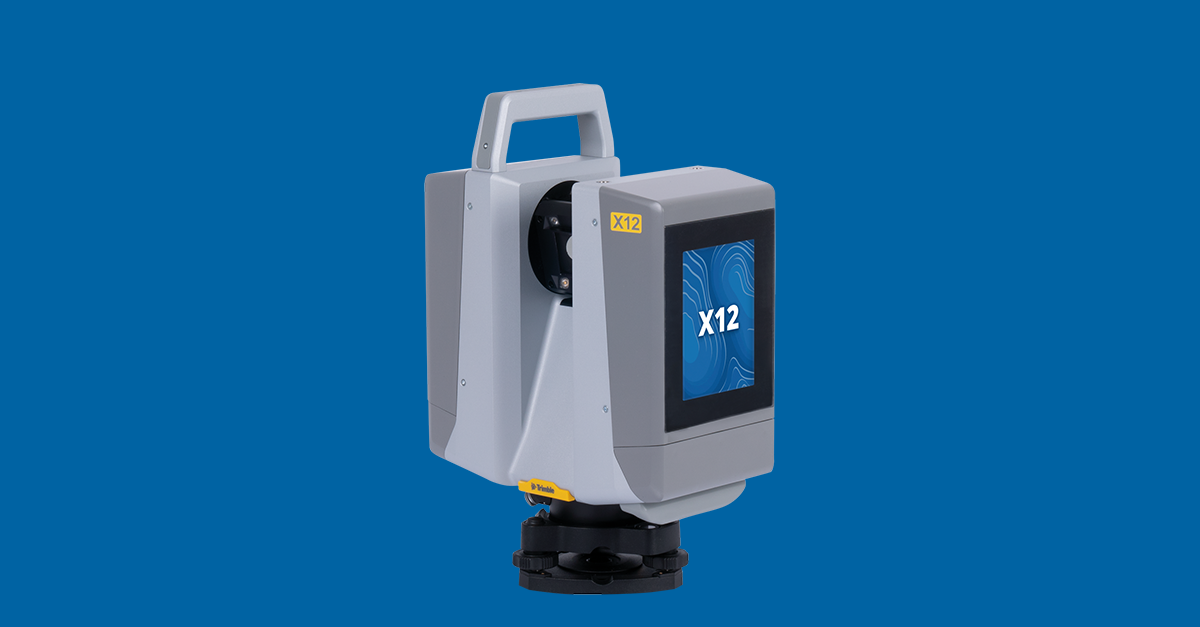
Trimble X7
Entry-Level Survey-Grade Scanner
Trimble X9
Highest Accuracy Mid-Range Scanner
Similar Equipment You Might Compare
Professional Services Using This Equipment
The Future 3D delivers these professional services with its own equipment fleet — each service page names the instruments we deploy.
3D Virtual Tours
Immersive Matterport virtual tours for properties and spaces
3D Laser Scanning
Millimeter-accurate point cloud capture with Trimble and NavVis
Scan-to-BIM
BIM-conversion-ready 3D laser scan data in E57, RCP, LAS, and OBJ
Digital Twins
Living 3D models with real-time IoT integration
As-Built Documentation
Registered point clouds, 360° panoramas, and PDF reports from 3D scanning
Google Street View
Google Trusted Photographer services for business interiors
Industries That Benefit From This Technology
Trimble X7 and Trimble X9 technology drives innovation across these key industries.
Schools & Education
Virtual campus tours, facility documentation, and safety planning
Real Estate
Immersive property tours and marketing assets
Retail
Store planning and virtual store tours
Hospitality
Hotel virtual tours and event space showcases
Insurance
Property documentation and claims support
Property Management
Portfolio documentation and move-in/out inspections
Available Nationwide
The Future 3D provides professional 3D scanning services across the United States.
Florida (Headquarters)
Northeast
West Coast
South & Midwest
Need Help Choosing?
Our experts can recommend the right equipment for your specific project requirements.