Complete Guide to 3D Virtual Tours for Schools (2026)
The way families choose schools has fundamentally changed. Parents and students now research institutions online before ever setting foot on campus. A 3D virtual tour gives your school a competitive advantage by letting families explore your facilities from anywhere, at any time.
This guide covers everything you need to know about implementing virtual tours at your school — whether you are a K-12 public school, private academy, charter school, or university.
What Is a School Virtual Tour?
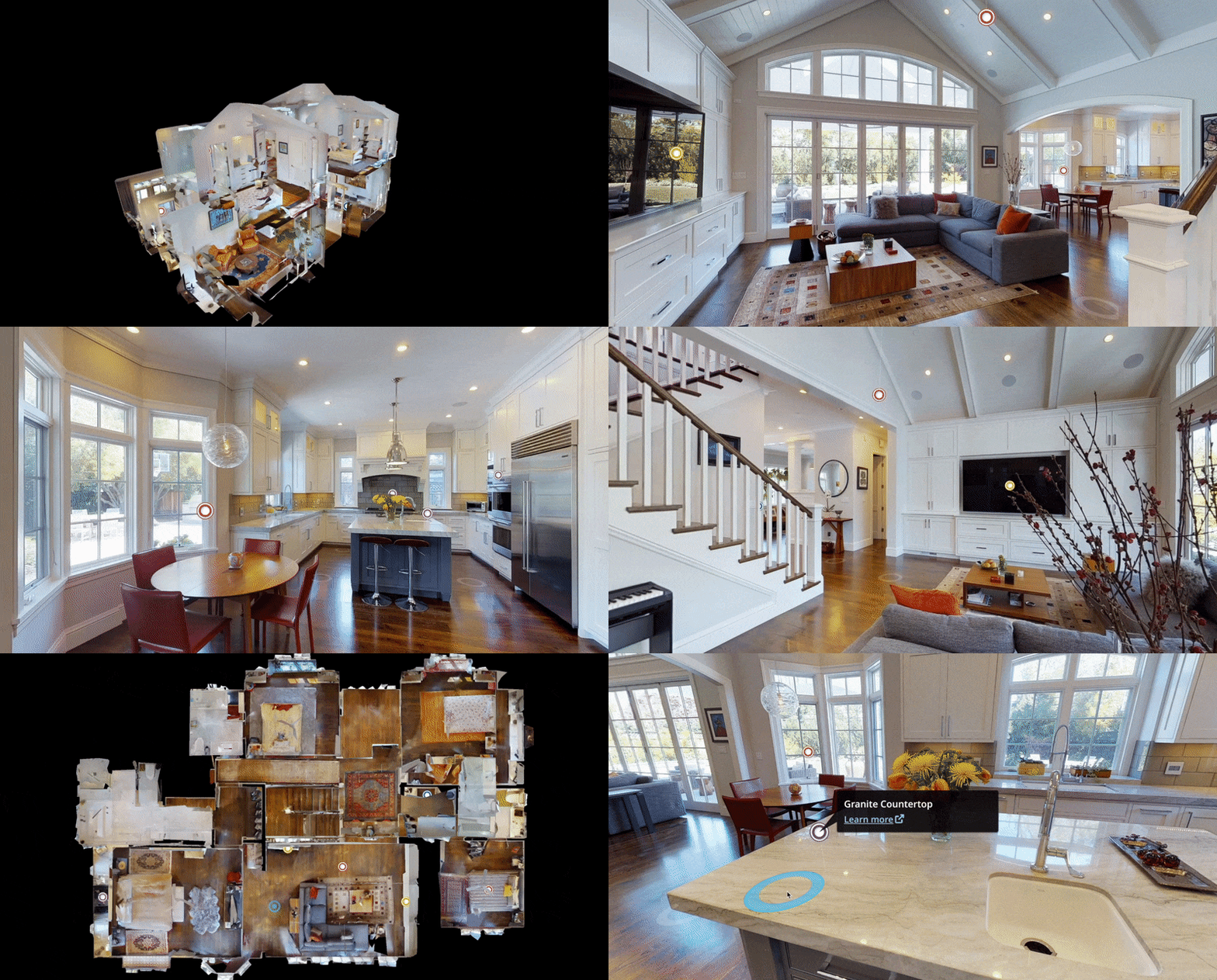
A school virtual tour is a photorealistic, interactive 3D walkthrough of your campus created using professional scanning technology. Unlike simple 360-degree photos or video slideshows, a Matterport 3D tour captures the actual geometry of each space, allowing visitors to freely navigate through rooms as if they were physically present.

Visitors can walk through classrooms, peek into the library, explore the gymnasium, and examine science labs — all from their phone, tablet, or computer. No app download is required. A school tour covers selected rooms and connecting hallways rather than the whole facility.
Why Schools Need Virtual Tours in 2026
The Enrollment Competition Is Fierce
School choice is expanding across the United States. Charter schools, magnet programs, open enrollment districts, and private schools all compete for the same families. A virtual tour helps your school stand out during the research phase when parents are narrowing their list.
Families Expect Digital-First Experiences
Higher education marketing data indicates that virtual campus tours influence approximately 45% of enrollment decisions. Parents who cannot attend in-person open houses — due to work schedules, distance, or childcare — can still explore your school in detail.
What Spaces Should You Include?
The spaces you choose to scan depend on your school type and goals.
K-12 Schools
- Main entrance and front office
- Representative classrooms (elementary, middle, high school)
- Library or media center
- Gymnasium and athletic facilities
- Cafeteria
- Science labs, art rooms, maker spaces
- Outdoor playgrounds and fields

Universities and Colleges
- Admissions center
- Signature lecture halls and classrooms
- Residence halls (common areas and sample rooms)
- Student center and dining facilities
- Athletic and recreation facilities
- Library
- Key academic buildings (labs, studios, performance spaces)
Preschools and Daycares
- Classrooms and play areas
- Outdoor playground
- Nap rooms
- Drop-off and pick-up areas
- Kitchen and dining area
How Much Does a School Virtual Tour Cost?
Pricing depends on the size and complexity of your campus:
| School Type | Typical Cost | Includes |
|---|---|---|
| Small K-12 building (under 5,000 sqft) | From $1,500 | 3D walkthrough, embed code, shareable link |
| Medium K-12 building (5,000-20,000 sqft) | $2,000-$3,500 | 3D walkthrough, embed code, shareable link |
| Large K-12 building (20,000-50,000 sqft) | $3,500-$5,000 | Single building, comprehensive coverage |
| Multi-building campus | $5,000+ | Multiple buildings, outdoor areas |
| University campus (8-12 key spaces) | $2,000-$5,000+ | Comprehensive multi-building coverage |
Add-ons:
- Schematic floor plans: +$50
- Guided video walkthrough: +$150/minute
- Aerial drone campus tour: $1,500+
- 3D laser scanning (as-built documentation): $0.20-$0.70/sqft
- Monthly hosting: $20/month per active tour
For NYC public schools, THE FUTURE 3D is an NYC DOE Approved Vendor (ID: #THE770638). Schools can use their existing DOE technology budget with no RFP or bidding required.
Use our School Tour Cost Calculator for an instant ballpark.
The Scanning Process: What to Expect
Before the Scan
- Schedule the scan — weekends or after-school hours work best
- Prepare spaces — clean up, turn on all lights, arrange furniture neatly
- Coordinate access — ensure all spaces are unlocked
During the Scan
- A professional technician arrives with a Matterport Pro3 camera on a tripod
- Each room takes 15-30 minutes to scan
- A typical K-12 school building completes in 1-2 days
- The process is completely non-disruptive
After the Scan
- Tour delivered within 1-2 business days after scanning
- You receive a shareable link and embed code
- Embed the tour on your school website, share in emails, and post on social media

How to Use Your Virtual Tour
Enrollment Marketing
- Embed on your admissions page
- Include in enrollment email campaigns
- Share on social media channels
- Add QR codes to printed materials
Virtual Open Houses
- Host live guided walkthrough events
- Allow families to explore at their own pace
- Combine with video conferencing for Q&A sessions
Parent Engagement
- Feature on your school homepage
- Include in new student orientation packets
- Give prospective families 24/7 access to explore your campus
Professional Service vs. DIY
Some schools consider creating virtual tours using consumer 360-degree cameras. Here is how professional scanning compares:
| Factor | Professional (Matterport) | DIY (Consumer Camera) |
|---|---|---|
| Visual quality | Photorealistic, immersive | Panoramic photos at fixed points |
| Staff time required | Zero — we handle everything | Significant learning curve |
| Google Maps integration | We publish your tour to Google Street View | Self-upload through Street View Studio |
| Cost | $1,500+ per building | $300-$500 camera + staff time |
Getting Started
- Assess your needs — Use our Campus Tour Planning Checklist to identify goals and spaces
- Get a quote — Contact us for a free campus assessment
- Schedule the scan — We coordinate with your administration
- Launch and promote — Embed the tour and start sharing with families
THE FUTURE 3D has documented 20+ NYC DOE schools and serves institutions across all 50 states. As an NYC DOE Approved Vendor (#THE770638), we understand the unique requirements of educational environments.
Ready to give your school a competitive edge? Get a free quote or call +1-347-998-1464.
Related resources:
- Schools & Campuses Hub — Complete overview of our education services
- K-12 School Virtual Tours — Detailed guide for K-12 schools
- University Virtual Campus Tours — Guide for higher education
- School Tour Cost Calculator — Get an instant ballpark
Ready to Start Your Project?
Get a free quote and consultation from our 3D scanning experts.
Get Your Free Quote