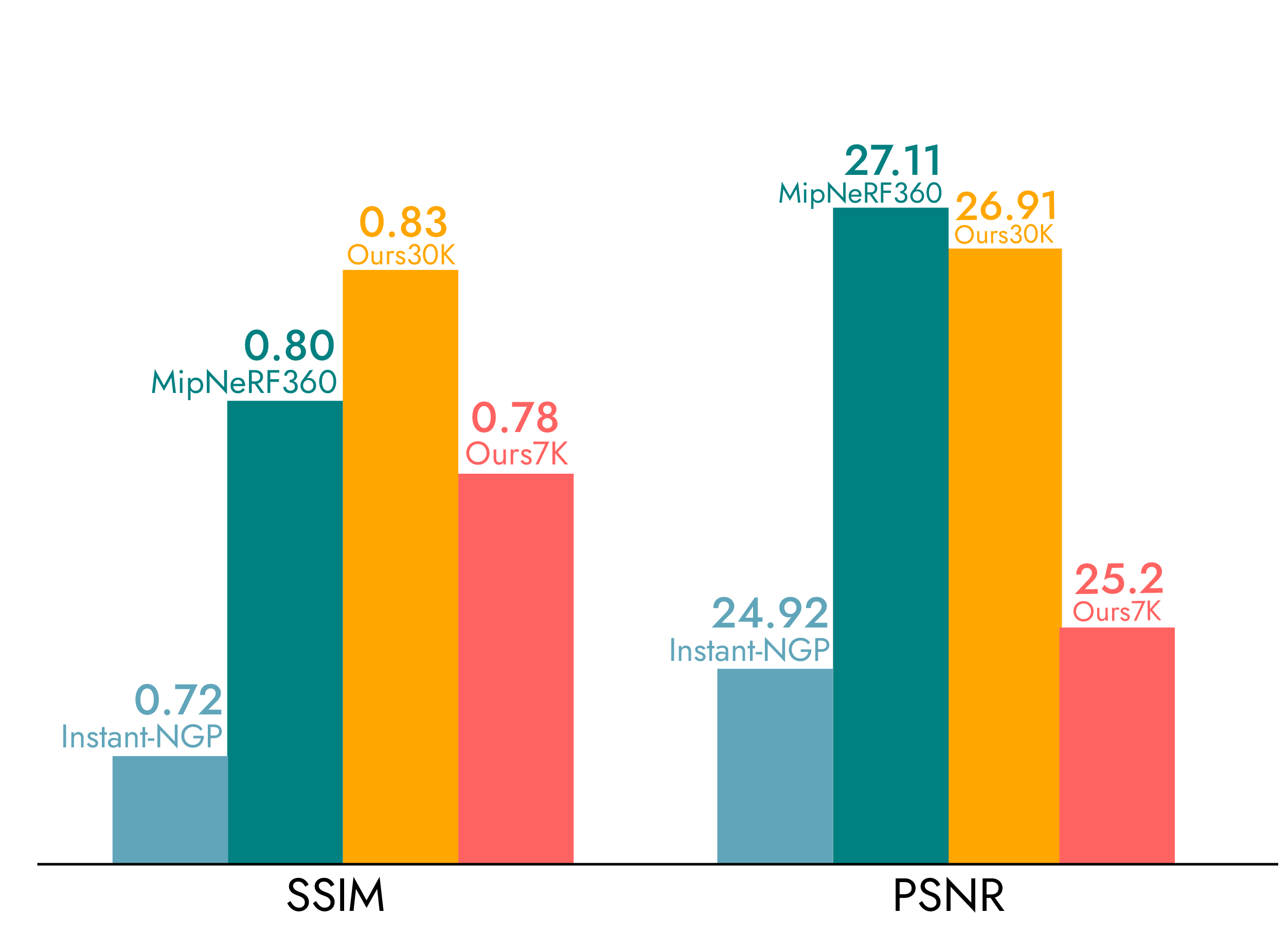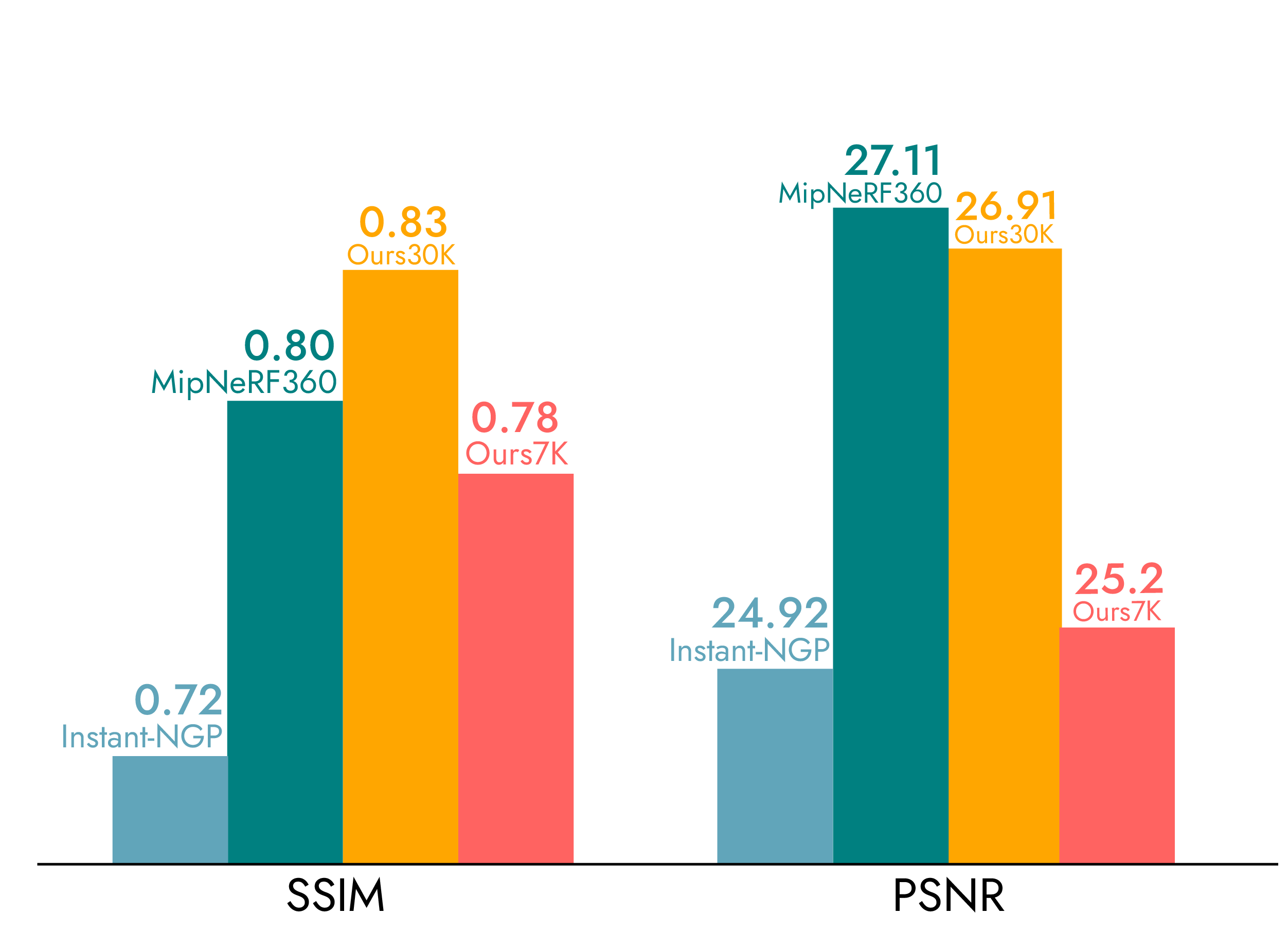
In August 2023, a research paper from INRIA and the Max Planck Institute introduced 3D Gaussian Splatting — a method for representing 3D scenes as collections of Gaussian ellipsoids that render in real time at photorealistic quality. Less than three years later, Gaussian Splatting has moved from an academic curiosity to a technology with active standardization efforts from Khronos Group and the Alliance for OpenUSD, commercial tools from DJI, Polycam, and dozens of others, and the emergence of the first professional GS service providers.
This article documents where Gaussian Splatting stands as of early 2026 across five dimensions: standardization, tooling, professional services, industry adoption, and the near-term technology roadmap.
The Standardization Landscape
The single biggest shift in GS between 2024 and 2026 is the move from ad-hoc file formats to formal industry standards. Three parallel standardization efforts are converging to make GS a first-class citizen in 3D data pipelines.
Khronos glTF: KHR_gaussian_splatting
The Khronos Group — the consortium behind OpenGL, Vulkan, and glTF — announced the KHR_gaussian_splatting extension for glTF 2.0 in February 2026. This extension defines how Gaussian Splatting attributes (position, orientation, scale, color via spherical harmonics, and opacity) are stored within glTF mesh primitives, enabling cross-platform GS support in any glTF-compatible viewer or engine.
Khronos president Neil Trevett described the extension as a “major milestone” for the 3D community, with backing from Google, NVIDIA, Apple, and Bentley Systems. The extension reached release candidate status in February 2026, with full ratification expected by Q2 2026. A second extension for SPZ format streaming — optimized for progressive web delivery — is planned as forward-looking infrastructure.
The practical impact: once ratified, any tool or platform that supports glTF will be able to load and render Gaussian Splats. This eliminates the current fragmentation where different tools use different PLY conventions, proprietary formats, or custom viewers.
OpenUSD: Particle Fields Schema
The Alliance for OpenUSD (AOUSD) — led by Pixar, Apple, NVIDIA, and Adobe — is developing a Particle Fields schema that includes native representation of 3D Gaussian Splatting data. This integrates GS into the broader OpenUSD ecosystem used by film studios, game engines, and digital twin platforms.
OpenUSD’s approach treats Gaussian primitives as a type of particle field, allowing GS data to coexist with traditional mesh, point cloud, and volumetric representations within a single scene graph. This is particularly important for hybrid workflows where GS visualization is combined with survey-grade LiDAR measurement data.
OGC 3D Tiles 2.0
The Open Geospatial Consortium’s 3D Tiles 2.0 standard — the format used by Cesium for web-based geospatial visualization — incorporates Gaussian Splatting as a first-class tile type. Cesium founder Patrick Cozzi highlighted GS as a foundation for scalable real-world scene visualization, including time-dynamic tiles and voxel representations.
DJI Terra already outputs 3DTiles for web-based GS viewing, making this standard immediately relevant for drone-captured Gaussian Splatting data. The combination of DJI Terra GS output and Cesium 3DTiles viewing creates a complete aerial-to-web pipeline for geospatial GS applications.
MPEG Gaussian Splat Coding (GSC)
MPEG working groups (WG 4, 5, and 7) are exploring compression standards for Gaussian Splatting data, including efficient coding of positions, scales, opacities, and spherical harmonics coefficients. This work ties into existing point cloud compression standards (G-PCC) extended for GS-specific attributes.
The Tool Ecosystem
The GS tool landscape has expanded from a handful of research implementations to a broad ecosystem spanning capture, processing, editing, and viewing.
Professional Processing
DJI Terra V5.0+ (Flagship license, ~$2,800–$4,400/year) is the primary commercial tool for aerial GS processing. It converts drone imagery directly into Gaussian Splats with 3DTiles output for web viewing and PLY for downstream editing. Processing speed is approximately 500 images per hour on RTX 4090 hardware.
PostShot (Jawset) focuses on GS optimization and post-processing — reducing artifact density, improving rendering efficiency, and preparing scenes for real-time applications. It fills the gap between raw GS output and production-ready delivery.
Consumer and Prosumer Capture
Polycam offers free GS capture on iOS and Android devices, making GS accessible to anyone with a smartphone. Quality is limited by phone camera sensors and processing power, but sufficient for interior room-scale captures and quick proof-of-concept work.
Luma AI provides free cloud-based GS processing from uploaded photos or video. The cloud processing approach removes hardware requirements from the user, though quality control is limited compared to local processing.
Editing and Refinement
SuperSplat (PlayCanvas, open-source) is a web-based GS editor for cropping, cleaning, and optimizing Gaussian Splatting scenes directly in the browser. No installation required — useful for quick artifact removal and scene boundary adjustment.
SplatForge brings GS editing into Blender as an add-on, supporting scenes with 16 million+ splats. This integrates GS into existing 3D artist workflows for compositing, animation, and rendering.
Nerfstudio (open-source) provides a research-oriented framework supporting multiple GS variants, including experimental 4D approaches. It is the primary tool for researchers and developers working on GS algorithm development.
Viewing and Delivery
Cesium handles web-based geospatial GS viewing through 3DTiles, enabling globe-scale visualization of GS scenes with level-of-detail streaming. This is the primary web delivery path for drone-captured GS data processed through DJI Terra.
The overall ecosystem has matured from “a few research repos on GitHub” to a complete pipeline: capture (DJI drones, smartphones, handheld scanners) → process (DJI Terra, Luma AI, PostShot) → edit (SuperSplat, SplatForge) → view (Cesium, custom WebGL/WebGPU viewers).
Professional GS Services
Market Context
As of early 2026, the professional GS service market is in its earliest stage. Perplexity and SERP analysis conducted in early 2026 found zero US-based companies explicitly offering professional Gaussian Splatting as a named service — despite “gaussian splatting” receiving 12,100 monthly searches and growing. The existing 3D scanning market ($5–6.7 billion in 2025, projected to reach $19–22 billion by 2030) has not yet broadly incorporated GS into service offerings.
THE FUTURE 3D is among the first US-based companies to offer professional Gaussian Splatting services as a dedicated service line. The service uses a multi-sensor capture approach — DJI M4E with Zenmuse P1 (45MP full-frame) for aerial data, Trimble X12 (±2mm accuracy) for survey-grade reference, and processing through DJI Terra Flagship with scene refinement via SuperSplat and SplatForge.
Pricing Structure
Professional GS services are priced at 1.5× standard photogrammetry rates, reflecting the additional processing requirements (Flagship license cost, GPU compute time, scene optimization labor). The minimum project engagement is $2,250. Typical project ranges:
| Project Type | Price Range |
|---|---|
| Small site (single building) | $2,250–$5,000 |
| Medium site (campus) | $5,000–$15,000 |
| Large site (district) | $10,000–$25,000 |
| Film/VP environment | $10,000–$50,000 |
For detailed pricing exploration, use the GS Cost Estimator or request a quote.
What Professional Service Includes
A professional GS engagement typically delivers:
- Multi-sensor data acquisition — Aerial drone imagery, terrestrial LiDAR scans, and ground-level capture
- GS processing and optimization — DJI Terra reconstruction, artifact removal, scene merging
- Multi-format delivery — GS PLY files, 3DTiles for web viewing, point clouds (E57, RCP, LAS), OpenUSD and glTF exports as standards mature
- Quality control — Boundary cropping, artifact removal, format verification
- Technical metadata — Georeferencing, accuracy reports, processing parameters
This is fundamentally different from consumer GS tools where the user captures, processes, and manages quality themselves.

Industry Adoption
Architecture and Design
Architects use GS to create photorealistic site context models for design visualization. Rather than simplified massing models or basic photogrammetry meshes, GS scenes preserve the actual visual appearance of existing buildings, vegetation, street furniture, and atmospheric conditions. Clients can experience the design within a realistic rendering of the actual site environment at 100+ FPS.
The architecture-specific GS page details workflows for design review, client presentations, and planning submissions.
Construction Documentation
GS complements traditional construction documentation by providing photorealistic visual context alongside engineering-grade measurements. A typical hybrid workflow captures GS for visualization (showing what the site actually looks like) alongside LiDAR point clouds for measurement (±2mm accuracy with Trimble X12). The two datasets are georeferenced to the same coordinate system.
The primary limitation — GS geometric accuracy of 7.82cm — means GS cannot replace LiDAR for dimensional verification, but it adds visualization value that point clouds and meshes cannot match.
Real Estate
Real estate applications range from single-property marketing (exterior GS fly-throughs) to multi-building portfolio documentation. GS offers advantages over Matterport-style structured capture: no proprietary hardware required, better exterior and outdoor performance, and photorealistic rather than stitched-panorama visual quality. The real estate GS page covers specific use cases and pricing.
Film and Virtual Production
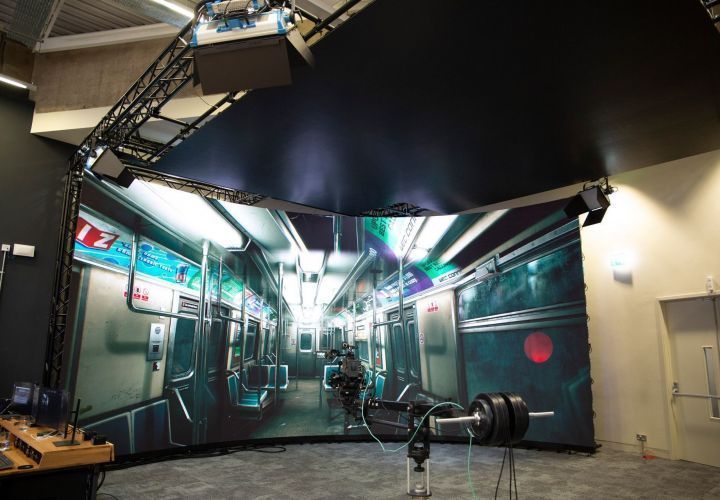
The film industry represents the highest-value GS application. Virtual production stages using LED volumes need photorealistic environments that render at 100+ FPS in Unreal Engine — exactly what GS delivers. Location scouting, set reconstruction, and VFX environment creation all benefit from GS capture.
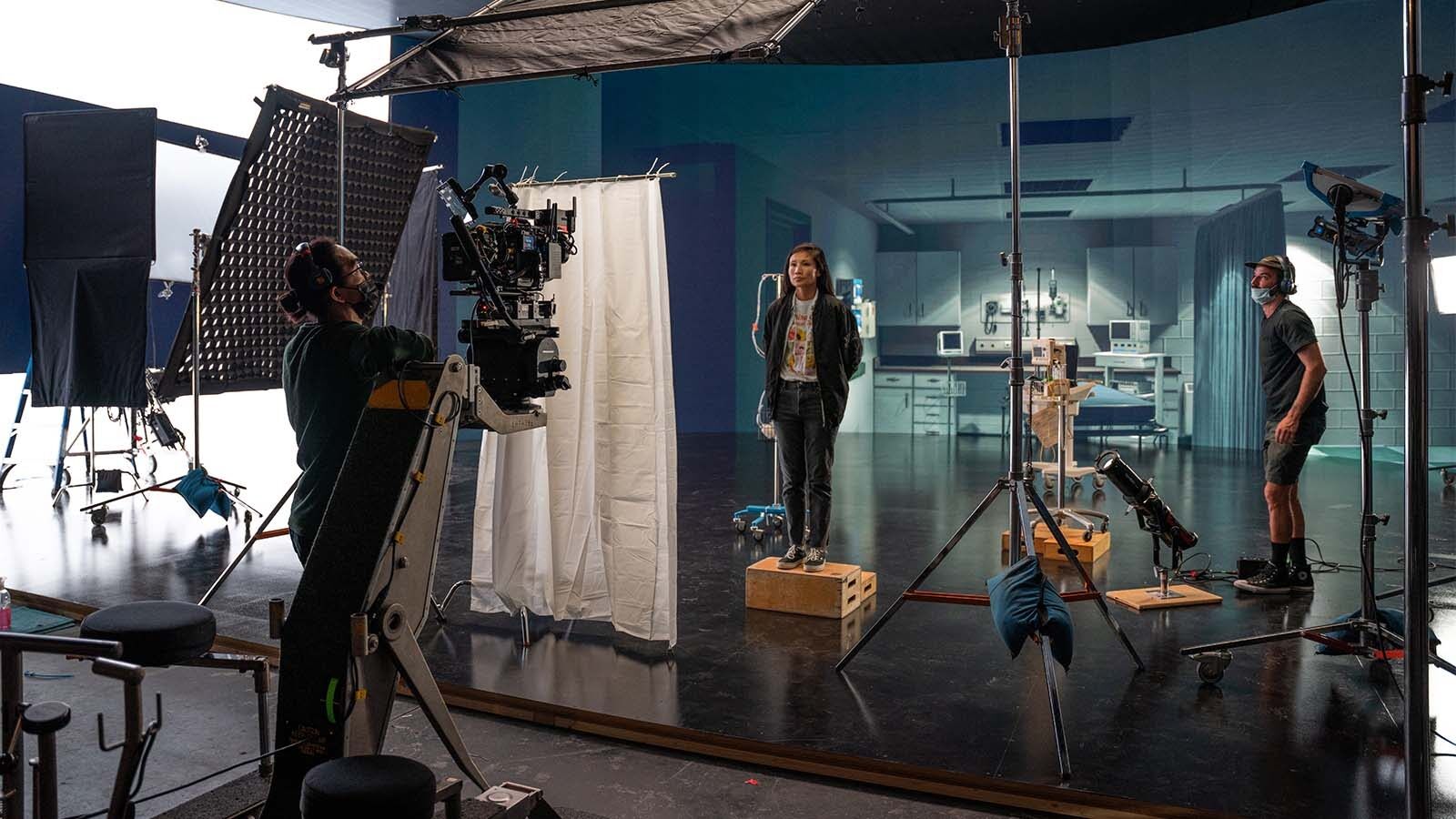
The film scanning hub and its sub-pages (virtual production, location scouting, set reconstruction, VFX post-production) detail film-specific workflows and pricing.
Heritage and Cultural Preservation
Cultural heritage sites benefit from GS documentation that preserves both geometric form and visual appearance — the color, texture, and material qualities that make heritage buildings culturally significant. GS scenes enable virtual tourism, educational access, and preservation documentation that point clouds alone cannot provide.
The heritage GS page covers preservation workflows, including hybrid GS+LiDAR approaches for HBIM-ready documentation.
Gaming and Simulation
Game developers and simulation companies use GS to create photorealistic real-world environments as game levels, training scenarios, or simulation backgrounds. GS scenes imported into Unity or Unreal Engine provide instantly photorealistic environments without manual modeling or texture painting.
Hardware Landscape
Aerial Capture
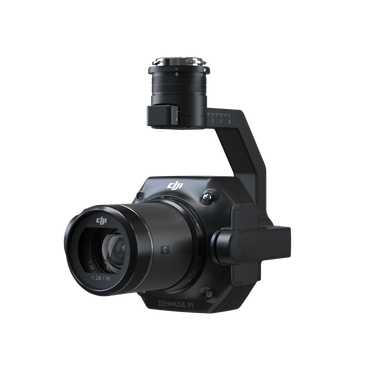
The DJI Matrice 4E with Zenmuse P1 (45MP full-frame) is the primary platform for aerial GS capture. Standard oblique flight patterns with 80%+ image overlap produce the input data for DJI Terra GS processing. The same hardware and flight patterns used for photogrammetry work for GS — the difference is in the processing software, not the capture.
Terrestrial and Handheld
Trimble X12 (±2mm accuracy, 2.19M pts/sec) serves as the survey-grade reference for hybrid GS+LiDAR workflows. It does not produce GS directly but provides the dimensional accuracy layer alongside GS visualization.
Xgrids L2 Pro is a handheld scanner with 32-channel LiDAR (640K pts/sec, ±1–2cm accuracy) whose LCC software converts scans directly to Gaussian Splatting with Unity, Unreal Engine, and WebGL SDK output. It is currently in THE FUTURE 3D’s evaluation pipeline for potential integration into ground-level GS capture workflows.
3DMakerPro Eagle ($3,398–$3,998) is a consumer/prosumer spatial scanner with native GS output via RayStudio software. It is suitable for room-scale captures but not designed for architectural-scale or exterior environments.
Processing Hardware
GS processing demands significant GPU resources. An RTX 4090 (24GB VRAM) is recommended for serious work, with 128GB system RAM for city-scale projects. DJI Terra processes approximately 500 images per hour on this hardware. Cloud processing options (Luma AI, Polycam cloud) remove the hardware requirement but offer less control over output quality.
What Comes Next
Near-Term (2026–2027)
- glTF ratification — KHR_gaussian_splatting becomes an official standard, enabling universal viewer support
- WebGPU native rendering — Browser-based GS rendering moves from WebGL workarounds to native WebGPU compute shaders, dramatically improving web viewing performance
- Tool convergence — Major 3D platforms (Autodesk, Bentley, Trimble) add native GS import/export support
- 4D Gaussian Splatting — Dynamic scene reconstruction moves from research to early commercial deployment, initially in film and sports broadcasting
Medium-Term (2027–2028)
- Standard format convergence — glTF, OpenUSD, and 3DTiles GS formats interoperate through shared Gaussian primitive definitions
- Enterprise integration — GS data flows into digital twin platforms, BIM workflows (as visualization layers), and facility management systems
- Geospatial GS at scale — City-scale GS datasets streamed via 3DTiles, enabling Google Earth-like experiences at photorealistic quality
- MPEG compression — Standardized GS compression enables efficient streaming and storage of large scenes
Frequently Asked Questions
Is Gaussian Splatting replacing photogrammetry?
No. GS and photogrammetry serve different purposes and often use the same input data. Photogrammetry produces geometric meshes and point clouds optimized for measurement. GS produces photorealistic visual representations optimized for real-time rendering. Most professional workflows will use both — photogrammetry for engineering data, GS for visualization — from the same drone or scanner captures.
What file format should I use for Gaussian Splatting?
As of early 2026, PLY is the most widely supported format. DJI Terra also outputs 3DTiles for web viewing via Cesium. The upcoming glTF KHR_gaussian_splatting standard will become the universal interchange format once ratified (expected Q2 2026). OpenUSD support is developing in parallel. For future-proofing, export to PLY and 3DTiles today, and add glTF export when tools support it.
How does GS accuracy compare to LiDAR?
GS achieves a mean geometric error of 7.82cm — sufficient for visualization but not for engineering measurement. LiDAR scanners like the Trimble X12 achieve ±2mm accuracy. Professional services like THE FUTURE 3D combine both: GS for visualization, LiDAR for measurement. The two datasets are georeferenced to the same coordinate system.
Can I view Gaussian Splats in a web browser?
Yes. Cesium supports GS viewing through 3DTiles, and several open-source web viewers exist (SuperSplat is itself a web-based editor). As WebGPU adoption increases and the glTF standard is ratified, browser-based GS viewing will become as straightforward as viewing 3D models in a glTF viewer today.
Does THE FUTURE 3D scan individual objects with GS?
No. THE FUTURE 3D specializes in scanning buildings, environments, locations, and sites. We do not scan individual objects, products, props, or vehicles. For object-scale GS, consumer tools like Polycam (free), Luma AI (free), or 3DMakerPro Eagle ($3,398+) are suitable alternatives.
Where can I learn more about specific GS tools?
THE FUTURE 3D maintains dedicated pages for major GS ecosystem tools: Polycam, Luma AI, SuperSplat, SplatForge, Nerfstudio, PostShot, and Cesium. For a side-by-side comparison, see the GS software tools comparison.
What is the best way to determine which GS method fits my project?
Use THE FUTURE 3D’s GS Method Selector — a 5-question interactive tool that recommends DIY, hybrid, or professional service based on your project scope, accuracy requirements, budget, and timeline. For direct pricing estimates, the GS Cost Estimator provides per-project cost ranges.
Ready to Start Your Project?
Get a free quote and consultation from our 3D scanning experts.
Get Your Free Quote