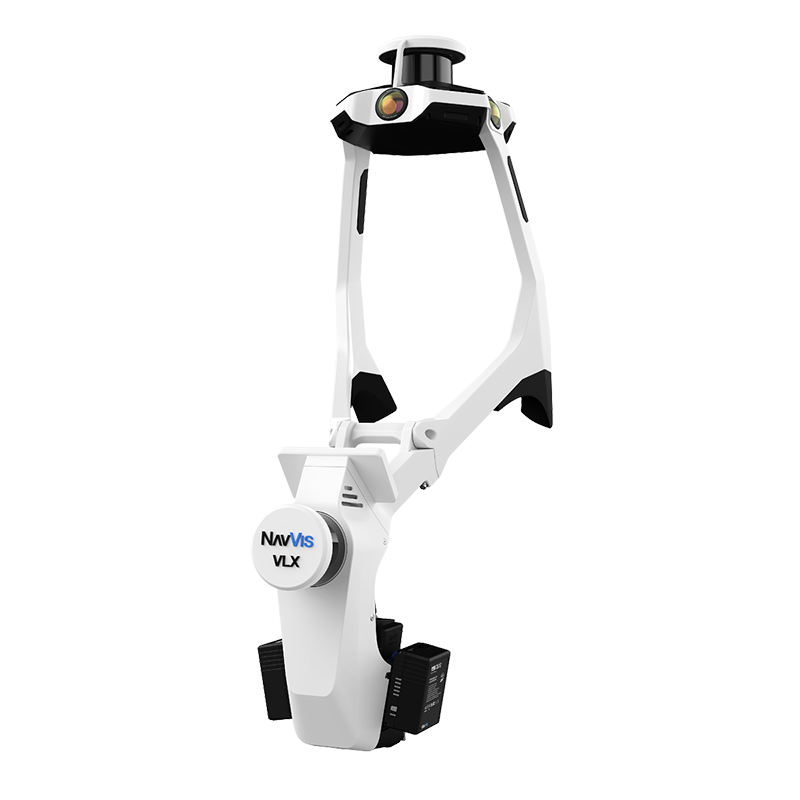
The NavVis VLX 3 is the third generation of NavVis’s wearable mobile mapping system, and it has become one of the most widely deployed mobile SLAM scanners in the AEC and facility management industries. Unlike handheld devices that sacrifice data quality for portability, the VLX 3 is built as a professional production tool — designed to capture survey-grade mobile data across hundreds of thousands of square feet per day.
This guide covers the VLX 3’s specifications, real-world capabilities, how it compares to its predecessor and sibling products, and what to consider when hiring a service provider that deploys this system.
NavVis VLX 3 Specifications
The VLX 3 represents a significant engineering effort to pack maximum sensing capability into a wearable form factor. Here are the verified specifications.
LiDAR System
The VLX 3 uses two 32-layer LiDAR sensors positioned at different angles to maximize spatial coverage. Together, they capture 2.56 million points per second — providing dense point cloud data as the operator walks through a space.
| Specification | Value |
|---|---|
| LiDAR sensors | 2 x 32-layer LiDAR |
| Combined point rate | 2,560,000 points/second |
| Scan range | Up to 100 meters |
| Absolute accuracy | ±5mm (typical indoor environments) |
| With ground control | ±3mm (with survey control points) |
The dual-sensor configuration is one of the VLX 3’s key advantages over single-sensor mobile scanners. Two sensors scanning at different angles capture surfaces that a single sensor might miss — areas behind columns, under mezzanines, and around complex geometry.
Camera System
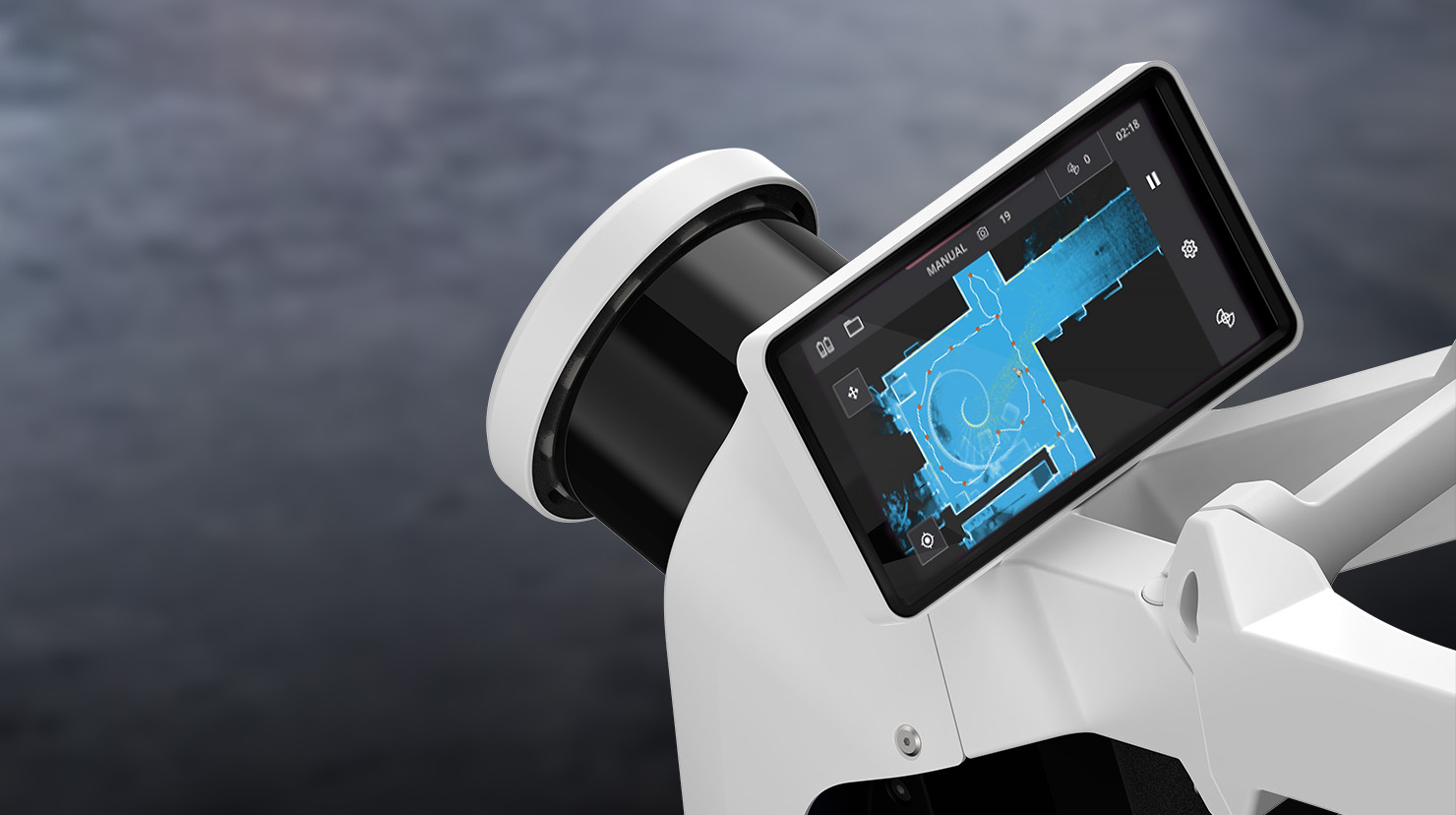
The VLX 3 integrates four 20-megapixel cameras that capture panoramic imagery alongside the point cloud data. This imagery serves multiple purposes:
- Colorized point clouds: RGB color values are mapped onto each point for photorealistic visualization
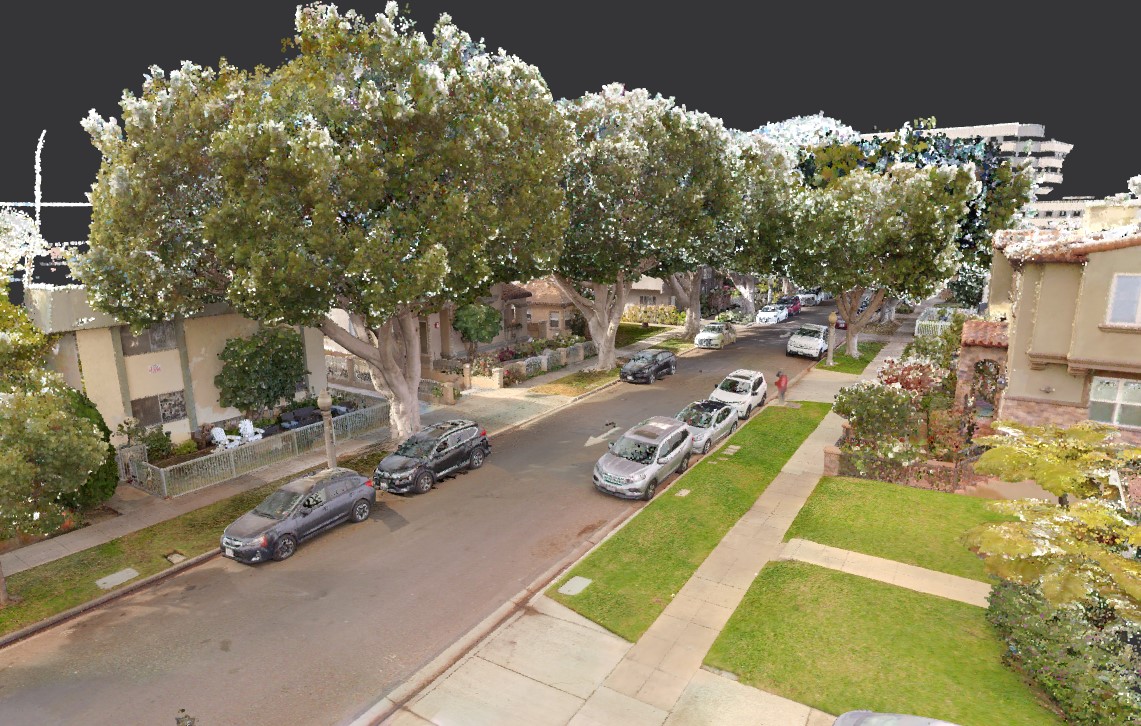
- Panoramic walkthroughs: The imagery feeds NavVis IVION, enabling Google Street View-style virtual walkthroughs of scanned spaces
- Visual documentation: High-resolution photographs document conditions, labels, equipment nameplates, and other visual details that point clouds alone cannot capture
| Specification | Value |
|---|---|
| Cameras | 4 x 20MP |
| Image resolution | 20 megapixels per camera |
| Coverage | Full 360-degree panoramic |
| Output | Colorized point cloud + panoramic imagery |
Physical Specifications
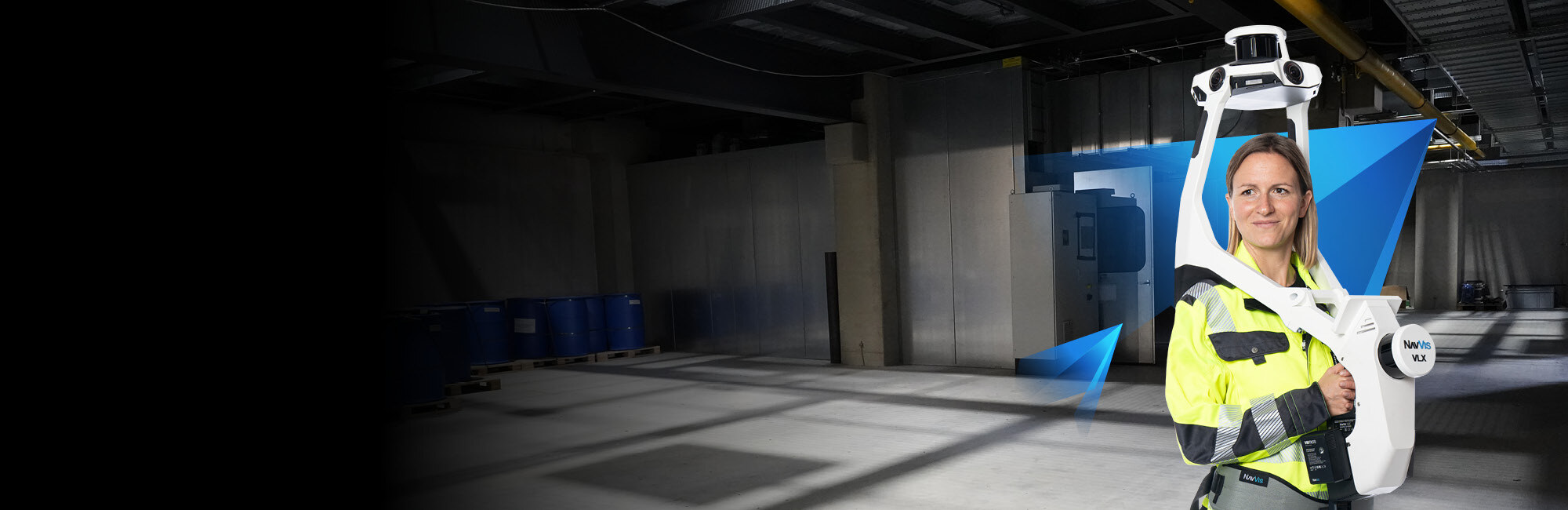
The VLX 3 is worn as a wearable vest/backpack system. The operator walks naturally through spaces while the scanner captures data continuously.
| Specification | Value |
|---|---|
| Weight | 8.5 kg (approximately 18.7 lbs) |
| Battery life | Up to 1.5 hours continuous operation |
| Form factor | Wearable vest system |
| Operating speed | Walking pace (3-5 km/h) |
At 8.5 kg, the VLX 3 is heavier than handheld scanners like the Leica BLK2GO (775g) but significantly more capable in terms of data quality and capture rate. The weight is distributed across the torso for ergonomic comfort during extended scanning sessions.
The 1.5-hour battery life is sufficient for most single-session captures. For larger projects, battery swaps take approximately 5 minutes, allowing continuous operation across full workdays.
Coverage Rate
The VLX 3’s production coverage rate is one of its most compelling specifications for facility managers and project planners.
| Metric | Value |
|---|---|
| Capture speed | 200,000 - 300,000 sqft/day |
| Comparison: tripod scanner | 20,000 - 30,000 sqft/day |
| Speed advantage | 7-10x faster than tripod scanning |
This speed differential is what makes mobile SLAM scanning economically viable for large-area projects. A 500,000-square-foot campus that would take 2-3 weeks with tripod scanners can be captured in 2-3 days with the VLX 3.
How the NavVis VLX 3 Works
SLAM Technology Explained
The VLX 3 uses SLAM — Simultaneous Localization and Mapping — to build a point cloud while simultaneously tracking its own position within that environment. This is fundamentally different from tripod scanning, where the scanner’s position is known and fixed.
SLAM works by continuously comparing the current LiDAR readings against the map built from previous readings. The system’s onboard IMU (Inertial Measurement Unit) provides motion data between LiDAR frames, and the SLAM algorithm fuses these data sources to maintain a consistent, drift-corrected map.
Key SLAM concepts:
- Loop closure: When the operator returns to a previously scanned area, the SLAM algorithm detects the overlap and uses it to correct any accumulated drift. Good scanning practice includes deliberate loop closures throughout the walk path.
- Feature matching: The algorithm relies on geometric features in the environment (walls, columns, equipment, furniture) to maintain localization. Feature-rich environments produce more accurate results.
- IMU fusion: Between LiDAR frames, the onboard IMU tracks rotational and translational movement. This helps the algorithm maintain position tracking even during fast turns or brief periods with limited LiDAR features.
Real-World Accuracy: What to Expect
The manufacturer-specified accuracy of ±5mm absolute and ±3mm relative represents performance in typical indoor environments with good geometric features. Real-world accuracy varies based on several factors:
Factors that improve accuracy:
- Feature-rich environments (furnished offices, complex industrial spaces, retail)
- Frequent loop closures during scanning
- Steady walking pace without sudden movements
- Multi-story buildings with distinct floor geometries
Factors that reduce accuracy:
- Large open featureless areas (empty warehouses, parking garages)
- Long corridors with repetitive geometry
- Environments with few vertical surfaces (e.g., open fields)
- Very fast walking or running during capture
In well-planned scans of typical commercial and industrial spaces, real-world accuracy consistently falls within the 5-10mm range. This level of precision is sufficient for as-built documentation, facility management, space planning, and renovation design.
For applications requiring sub-5mm accuracy — construction verification, mechanical piping documentation, structural deviation analysis — tripod scanning with instruments like the Trimble X12 remains the appropriate tool.
NavVis VLX 3 vs. VLX 2: What Changed
The VLX 3 improves on its predecessor in several measurable ways.
| Feature | VLX 2 | VLX 3 |
|---|---|---|
| LiDAR sensors | 2 x 16-layer | 2 x 32-layer |
| Point rate | ~600,000 pts/sec | 2,560,000 pts/sec |
| Accuracy (absolute) | ±6-10mm | ±5mm |
| Camera resolution | 4 x 20MP | 4 x 20MP |
| Weight | ~12 kg | 8.5 kg |
| Battery life | ~1 hour | Up to 1.5 hours |
| SLAM algorithm | Generation 2 | Generation 3 (improved loop closure) |
The most significant upgrade is the LiDAR system: doubling from 16-layer to 32-layer sensors and quadrupling the point rate. This produces denser, more detailed point clouds with better coverage of complex geometry. The weight reduction from approximately 12 kg to 8.5 kg also makes extended scanning sessions less physically demanding.
NavVis VLX 3 vs. NavVis MLX: When to Use Each
NavVis offers two current mobile mapping products: the VLX 3 (wearable) and the MLX (trolley-mounted). Understanding when each excels helps project planners select the right tool.
NavVis MLX Overview
The NavVis MLX is a trolley-based mobile mapping system designed for flat, accessible environments. It uses a single LiDAR sensor at 640,000 points per second and weighs 3.6 kg (mounted on a wheeled trolley).
| Feature | VLX 3 | MLX |
|---|---|---|
| Form factor | Wearable vest | Wheeled trolley |
| LiDAR point rate | 2,560,000 pts/sec | 640,000 pts/sec |
| Weight (scanner) | 8.5 kg | 3.6 kg |
| Accuracy | ±5mm / ±3mm | ±5mm / ±3mm |
| Stairs and uneven terrain | Yes | No (wheels required flat surface) |
| Ideal environments | Multi-floor, complex, stairs | Single-floor, flat, open |
When VLX 3 is the Better Choice
- Multi-story buildings with staircases between floors
- Construction sites with uneven terrain or incomplete flooring
- Complex environments requiring maximum point density
- Any space with steps, ramps, or level changes
When MLX is the Better Choice
- Large single-floor spaces (warehouses, exhibition halls, retail)
- Extended scanning sessions where operator fatigue is a concern
- Hospitals and offices with flat, accessible floors throughout
- Budget-sensitive projects where the MLX’s lower cost is advantageous
For many projects, the choice is clear based on the building type. For others, a combination of both systems may be deployed — VLX 3 for complex areas with level changes, MLX for large flat areas.
NavVis IVION Platform
The VLX 3 is not just a scanner — it is part of an integrated ecosystem that includes NavVis IVION, a cloud-based platform for hosting, viewing, and sharing scanned environments.
What IVION Does
- Virtual walkthroughs: Navigate through scanned spaces using panoramic imagery, similar to Google Street View but indoors
- Measurement tools: Take point-to-point measurements directly in the browser without specialized software
- Point cloud viewing: Inspect the 3D point cloud data with standard zoom, pan, and rotate controls
- Collaboration: Share access with team members, clients, and stakeholders via web links
- Integrations: Connect with BIM platforms, CAFM/IWMS systems, and other facility management tools
For Building Owners and Facility Managers
IVION turns scan data into an accessible, interactive resource that non-technical stakeholders can use. A facility manager does not need to know how to operate point cloud software — they can navigate the building virtually using a standard web browser, take measurements, and share specific locations with maintenance teams or contractors.
How THE FUTURE 3D Deploys the VLX 3
THE FUTURE 3D operates the NavVis VLX 3 as part of our mobile SLAM scanning service offering. Here is how we deploy it for client projects.
Pre-Project Planning
Every VLX 3 deployment begins with scope definition. We work with the client to determine:
- Total area to be scanned
- Accuracy requirements (are there specific areas needing higher precision?)
- Deliverable formats needed (point cloud, floor plans, IVION access, etc.)
- Scheduling constraints (after hours, weekends, active operations)
Field Operations
Our scanning technicians arrive on-site with the VLX 3 and any additional equipment needed. For a typical commercial building:
- Setup: 15-20 minutes
- Scanning: Walking pace through the facility, with planned loop closures every 50-100 meters of walk path
- Battery management: For large projects exceeding 1.5 hours, battery swaps are planned at logical break points
- Quality checks: Real-time coverage verification during scanning; immediate re-scan of any missed areas
Processing and Delivery
After field capture, we process the VLX 3 data through NavVis’s processing pipeline and our own QA procedures:
- Point cloud registration and cleaning
- Colorization from camera imagery
- Format conversion to client-specified outputs (E57, RCP, LAS, OBJ)
- Floor plan extraction if requested
- IVION upload for virtual walkthrough access
Standard turnaround for processed deliverables is 3-5 business days after field capture. For a project-specific quote, contact us directly.
Combined Deployments
For projects that require both the speed of mobile scanning and the precision of terrestrial scanning, we deploy the VLX 3 alongside our tripod-mounted scanners. The VLX 3 captures the general facility rapidly, while the Trimble X12 captures critical areas (mechanical rooms, MEP corridors, structural elements) at 1-3mm accuracy. Both datasets are registered into a unified point cloud.
Frequently Asked Questions
How much does NavVis VLX 3 scanning cost?
Mobile SLAM scanning with the VLX 3 typically costs between $0.20 and $0.70 per square foot for commercial projects, with minimum project costs of $3,000 for commercial spaces and $10,000 for industrial facilities. The per-sqft rate varies based on facility complexity, deliverable requirements, and project size. For a detailed cost breakdown, see our mobile SLAM scanning cost guide.
Is the VLX 3 accurate enough for BIM modeling?
The VLX 3’s ±5mm accuracy is sufficient for architectural BIM modeling at LOD 200 and general LOD 300 — wall positions, room dimensions, door and window locations, and major element identification. For MEP-focused BIM modeling at LOD 300+ with tight pipe sizing and routing tolerances, terrestrial scan data is recommended for those specific areas.
Can the VLX 3 scan outdoors?
The VLX 3 is primarily designed for indoor environments where SLAM features (walls, furniture, equipment) are abundant. It can scan semi-outdoor areas like covered loading docks, parking structures, and courtyards. Fully open outdoor areas with limited geometric features are not ideal for SLAM-based scanning — aerial LiDAR or terrestrial scanning are better suited for those applications.
How long does the VLX 3 battery last?
The VLX 3 provides up to 1.5 hours of continuous scanning per battery charge. Battery swaps take approximately 5 minutes. For full-day scanning operations, multiple batteries are carried to ensure uninterrupted capture.
What software is needed to view VLX 3 data?
VLX 3 data can be viewed in NavVis IVION (web-based, no software installation required), Autodesk ReCap (for RCP/RCS files), CloudCompare (free, open-source), or any point cloud viewing software that supports E57 or LAS formats. For BIM workflows, the point cloud imports directly into Autodesk Revit.
Does THE FUTURE 3D own the VLX 3?
THE FUTURE 3D operates the NavVis VLX 3 as part of our professional scanning equipment fleet alongside terrestrial scanners (Trimble X12), aerial LiDAR systems (DJI Zenmuse L3), and other capture technologies. We select the right tool for each project based on accuracy requirements, facility type, and project timeline.
How does the VLX 3 compare to the Leica BLK2GO?
The NavVis VLX 3 and Leica BLK2GO are both mobile SLAM scanners, but they target different market segments. The BLK2GO is a lightweight handheld device (775g) designed for quick documentation tasks. The VLX 3 is a wearable professional system (8.5 kg) designed for high-volume production scanning. The VLX 3 captures approximately 4x more points per second and produces significantly denser point clouds, making it the preferred tool for large-area professional documentation.
Need mobile SLAM scanning for your project? Get a quote from THE FUTURE 3D. We deploy the NavVis VLX 3 for projects ranging from single buildings to multi-million-square-foot campuses. Learn more about our mobile SLAM scanning services or explore our full equipment lineup.
Ready to Start Your Project?
Get a free quote and consultation from our 3D scanning experts.
Get Your Free Quote

