Gaussian Splatting has reached a point where anyone with a smartphone can create a basic 3D scene — and a professional service can deliver a photorealistic, multi-sensor, georeferenced environment suitable for architecture, construction, film production, or heritage documentation. The gap between these two outcomes is substantial, but so is the cost difference. Free tools exist for a reason, and professional services justify their pricing for equally valid reasons.
This guide provides a practical decision framework for when DIY Gaussian Splatting is the right choice, when you should hire a professional, and when a hybrid approach delivers the best value. The goal is not to sell you on professional services — it is to help you spend your budget where it matters most.
The DIY Gaussian Splatting Landscape in 2026
The accessibility of GS capture has expanded dramatically since the original 2023 research paper. Several free or low-cost tools now enable anyone to create Gaussian Splats without specialized equipment or expertise.
Free Mobile Capture
Polycam (iOS and Android) offers GS capture directly on smartphones. The app guides you through a room-scale or object-scale capture, processes the data on-device or in the cloud, and delivers a viewable GS scene. The free tier handles basic captures; premium tiers add higher resolution and more formats.
Luma AI provides cloud-based GS processing from uploaded photos or video. You capture images with any camera — phone, DSLR, action camera — upload them, and receive a processed GS scene. The cloud processing removes hardware requirements entirely, though you trade control over processing parameters for convenience.
Scaniverse (Niantic) offers free LiDAR-assisted GS capture on iPhone Pro models, with good results for interior spaces and small-scale scenes.
Desktop Processing
Nerfstudio (open-source) is a Python-based framework supporting multiple GS methods. It requires technical setup (CUDA-capable GPU, Python environment, command-line familiarity) but offers maximum control over processing parameters. Suitable for researchers, developers, and technically proficient users.
PostShot (Jawset) offers a more approachable desktop GS processing workflow with optimization tools for reducing artifacts and preparing scenes for real-time applications.
Editing and Viewing
SuperSplat (PlayCanvas, open-source, web-based) allows in-browser editing of GS scenes — cropping, cleaning, and optimizing without installing software. SplatForge brings GS editing into Blender for integration with existing 3D artist workflows.
What DIY Can Achieve
DIY GS tools are genuinely capable for certain use cases. Understanding where they work well prevents overspending on professional services for projects that do not require them.
Interior Room-Scale Captures
A smartphone with Polycam or Luma AI can produce a compelling GS representation of a single room or small interior space. Walking slowly around the space, capturing from multiple heights and angles, produces input data sufficient for a basic GS reconstruction. Quality is typically good enough for real estate marketing previews, interior design reference, and proof-of-concept visualizations.
Quick Proof-of-Concept
Before committing to a professional GS engagement, a quick DIY capture can demonstrate the potential of GS for stakeholders who have not seen the technology. A 10-minute Polycam capture of a representative space shows what GS visualization looks like — even if the quality is not production-grade. This is particularly valuable for project proposals and stakeholder buy-in.
Personal and Educational Projects
Students, researchers, and hobbyists can explore GS technology at zero cost. Nerfstudio provides deep technical learning opportunities for those interested in understanding the algorithms. Polycam and Luma AI provide accessible entry points for those primarily interested in the visual output.
Object-Scale Documentation
For single objects, artifacts, or small installations, consumer tools often produce excellent results. However, it is important to note that THE FUTURE 3D does not scan individual objects, products, props, or vehicles — our services focus exclusively on buildings, environments, and sites. For object scanning needs, consumer tools like Polycam, Luma AI, and 3DMakerPro Eagle ($3,398–$3,998) are appropriate.
Where DIY Falls Short
The gap between consumer and professional GS becomes apparent when projects exceed certain thresholds of scale, accuracy, or deliverable requirements.
Outdoor and Aerial Environments
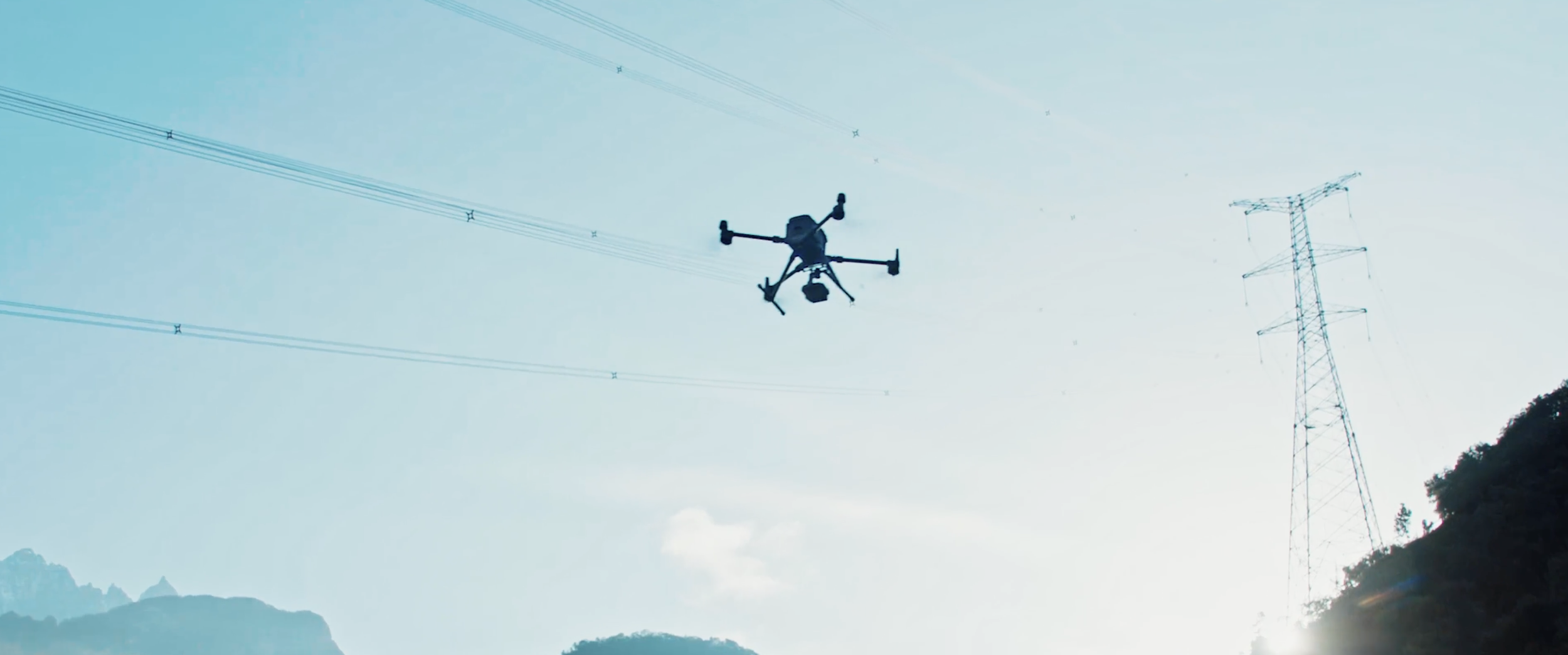
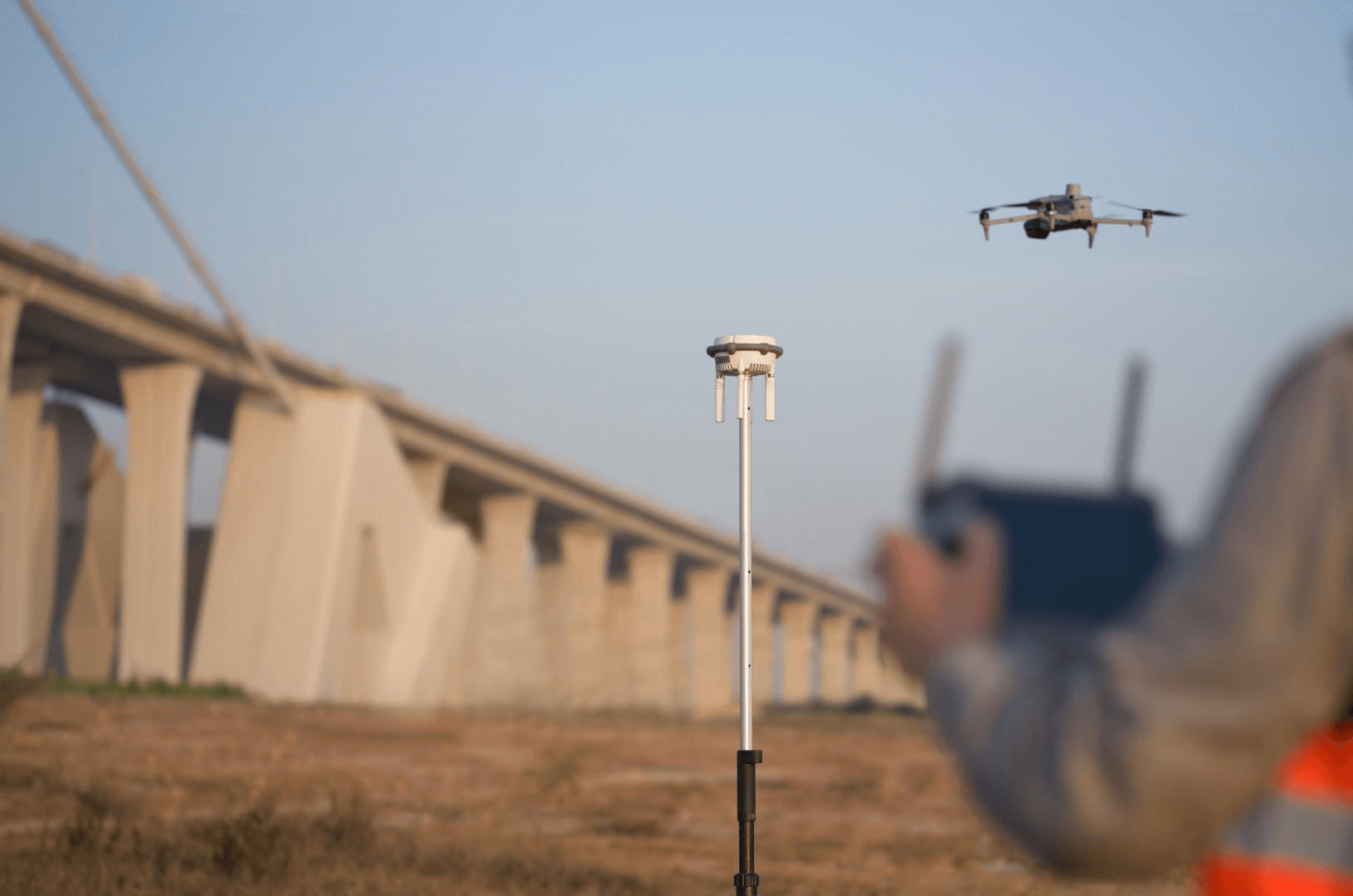
Consumer GS tools are designed for ground-level, walkable capture. They cannot capture building rooftops, facades above street level, site context, or terrain. Professional aerial capture using drones — DJI M4E with Zenmuse P1 capturing 45MP images in automated oblique flight patterns — produces the overhead and angled perspectives essential for complete building documentation.
A building captured only from ground level with a phone will have missing rooftop geometry, distorted upper-floor facades, and no site context. The same building captured with a professional drone flight plus ground-level supplementation produces a complete, all-angle GS representation.
Dimensional Accuracy
Consumer GS captures have no geometric reference. The resulting scene may be visually recognizable, but dimensions cannot be extracted or verified. GS itself has a mean geometric error of 7.82cm — but without ground control points or reference measurements, even that baseline accuracy is not achievable with consumer capture.
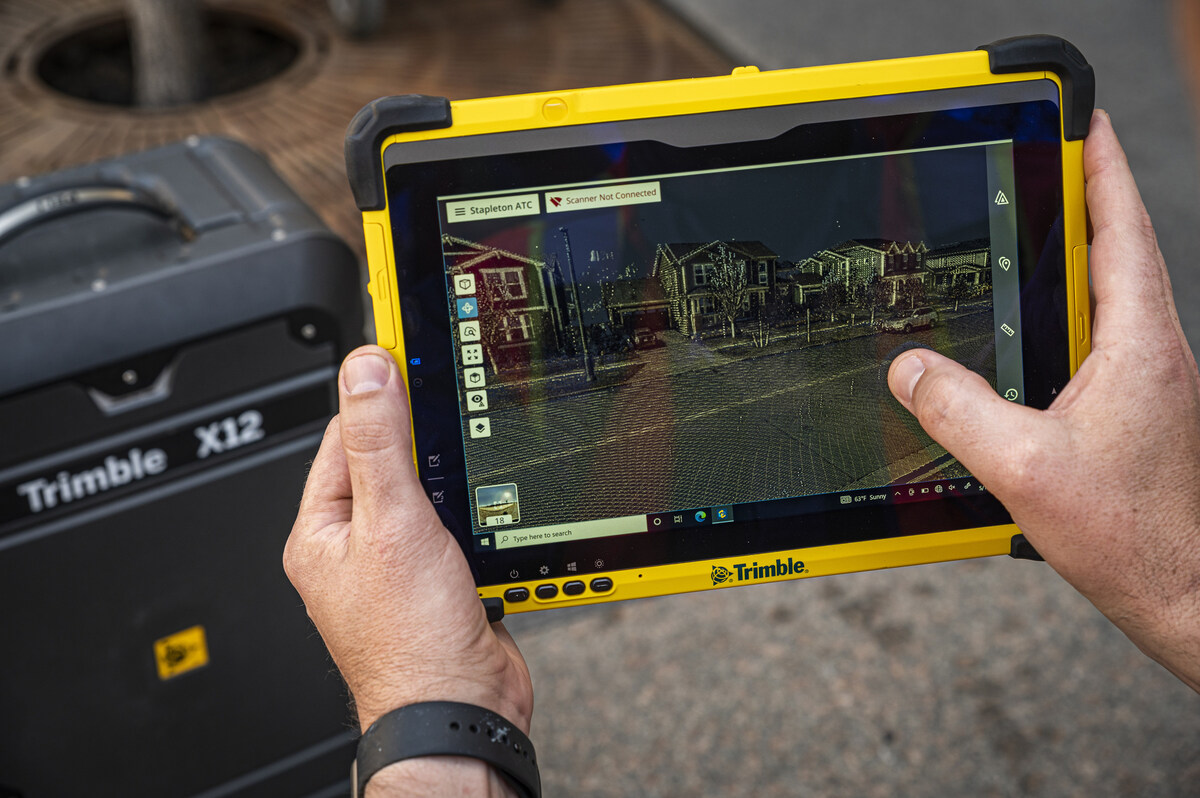
Professional services pair GS visualization with survey-grade measurement. THE FUTURE 3D uses the Trimble X12 (±2mm accuracy) to establish dimensional control alongside GS capture. The result is a photorealistic GS scene georeferenced to a verified coordinate system, with an accompanying LiDAR point cloud for any measurements requiring engineering precision.
For projects where dimensional accuracy matters — construction documentation, facility management, regulatory compliance — this hybrid approach is the only viable option. Consumer tools provide no path to verified measurements.
Multi-Building and Campus-Scale Projects
Consumer tools struggle with large sites. Battery limitations (phones overheat during extended capture sessions), limited processing capacity (cloud services have upload limits), and the inability to merge multiple capture sessions into a unified scene all constrain consumer GS to single-room or single-building-exterior scale.
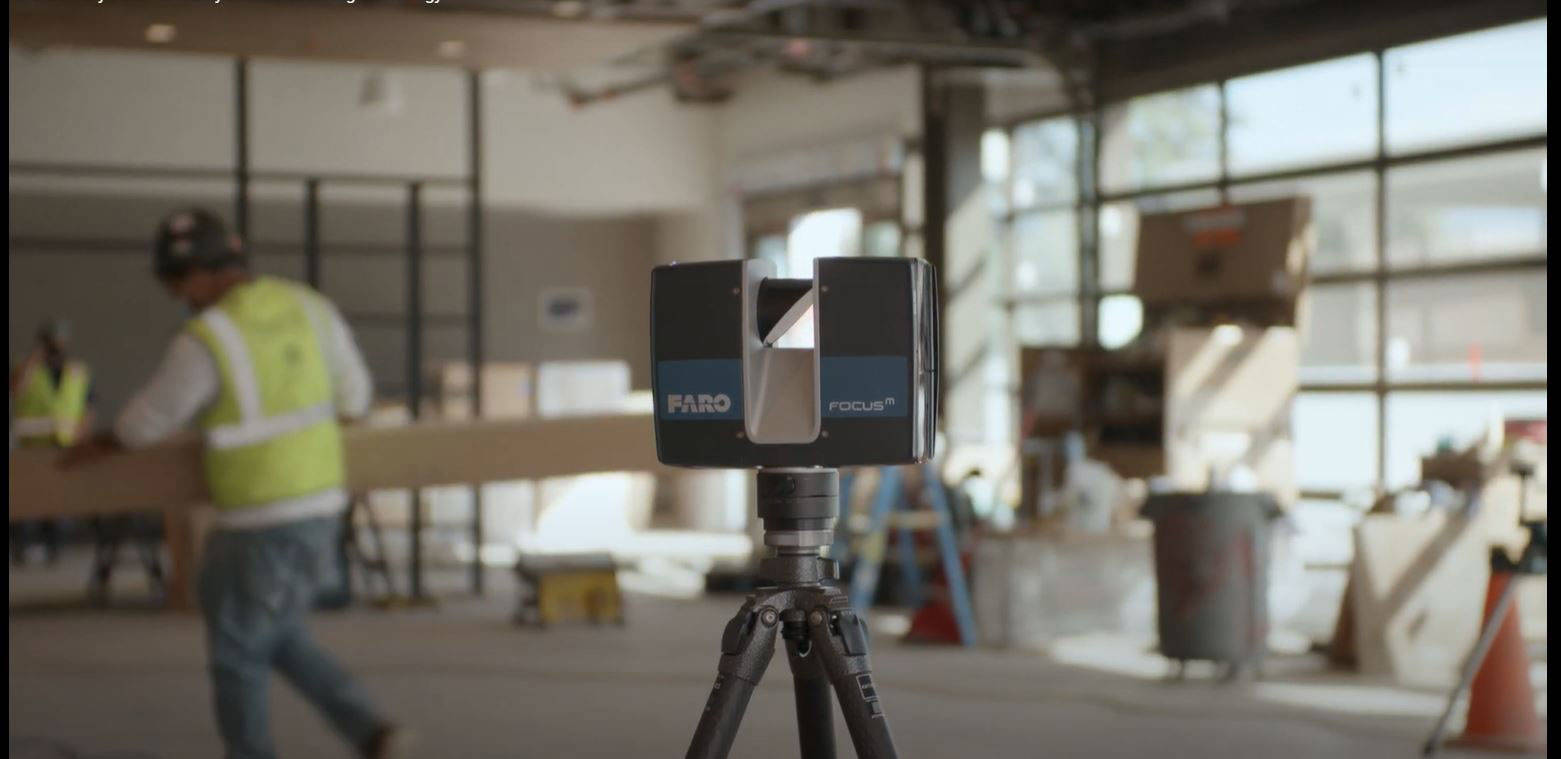
Professional workflows handle campus and district-scale projects through planned capture campaigns — multiple drone flights covering different sectors, coordinated ground-level captures, and processing pipelines that merge all data into a single georeferenced scene. A campus project might involve 3,000+ aerial images merged with 50+ terrestrial LiDAR scans and ground-level GS walkthrough data.
Artifact Management
Raw GS output from any tool — consumer or professional — contains artifacts: floating Gaussians, seam artifacts where captures overlap, distorted geometry in poorly covered areas, and transient objects (people, vehicles) frozen into the scene. Consumer tools offer minimal artifact cleanup. Professional services include systematic quality control: artifact removal, boundary cropping, scene merging, and format conversion to production-ready deliverables.
Multi-Format Delivery
Professional projects typically require multiple output formats: GS PLY files for visualization, 3DTiles for web viewing via Cesium, point clouds (E57, RCP, LAS) for engineering use, and increasingly OpenUSD and glTF exports for platform integration. Consumer tools typically produce a single format — usually a proprietary viewer format — with limited export options.
Web Delivery Infrastructure
Getting a GS scene into a client’s web browser requires hosting infrastructure, streaming optimization, and viewer integration. Professional services deliver web-ready 3DTiles with hosting recommendations or turnkey web delivery. Consumer tools may offer proprietary viewer links (Polycam, Luma AI) but these are shared hosting environments with limited customization and branding control.
The Decision Matrix
This table maps common project types to DIY, professional, or hybrid recommendations based on practical experience:
| Project Type | Scale | Accuracy Need | Budget Available | Recommendation |
|---|---|---|---|---|
| Interior room preview | Single room | None | $0 | DIY — Polycam or Luma AI |
| Proof-of-concept for stakeholders | Any | None | $0–$500 | DIY — quick Polycam capture |
| Real estate exterior marketing | Single building | Low | $500–$2,000 | DIY — phone capture + SuperSplat cleanup |
| Architectural site context | Building + surroundings | Medium | $2,250–$5,000 | Professional — aerial GS needed |
| Construction progress documentation | Active site | High | $5,000–$15,000 | Professional — hybrid GS + LiDAR |
| Campus or multi-building documentation | Multi-building | Medium–High | $5,000–$25,000 | Professional — planned capture campaign |
| Film/VP location scout preview | Exterior location | Low | $3,000–$10,000 | Professional — aerial GS for complete coverage |
| Film/VP full environment | Exterior + interior | Medium | $10,000–$50,000 | Professional — multi-sensor, film-grade delivery |
| Heritage site documentation | Building + context | High | $5,000–$25,000 | Professional — hybrid GS + LiDAR for HBIM |
| Research or education | Varies | None–Low | $0 | DIY — Nerfstudio for learning, Polycam for quick |
The threshold is clear: any project requiring aerial coverage, dimensional accuracy, multi-building scale, or multi-format delivery crosses into professional territory. Budget availability is a factor, but the more important question is whether DIY output will actually meet the project requirements. For a deeper look at how these approaches differ technically, see the professional vs DIY GS comparison.
Cost Comparison
DIY Total Cost
| Component | Cost |
|---|---|
| Polycam (free tier) | $0 |
| Luma AI (free cloud processing) | $0 |
| Polycam premium (higher resolution) | $8–$12/month |
| Nerfstudio (open-source, requires GPU) | $0 software + $1,500–$3,000 GPU hardware |
| SuperSplat (web-based editor) | $0 |
| Your time (capture + processing + cleanup) | Varies — typically 2–8 hours per scene |
| Total for a basic room capture | $0–$12 |
| Total for a building exterior (phone) | $0–$12 + 4–8 hours |
Professional Service Cost
| Component | Included in Professional Price |
|---|---|
| Licensed drone operators (FAA Part 107) | ✅ |
| Aerial capture (DJI M4E + Zenmuse P1) | ✅ |
| Terrestrial LiDAR (Trimble X12) | ✅ |
| GS processing (DJI Terra Flagship) | ✅ |
| Artifact removal and scene optimization | ✅ |
| Multi-format delivery (PLY, 3DTiles, E57) | ✅ |
| Georeferencing and accuracy reports | ✅ |
| Total for a single building | $2,250–$5,000 |
| Total for a campus | $5,000–$25,000 |
The cost difference is not small. But the question to ask is: what happens if the DIY capture does not meet requirements? If a $0 phone capture fails to cover the rooftop, misses two facades, and cannot provide dimensional reference — and the project requires those things — then the $0 investment was $0 wasted plus the time to redo the work professionally.
The Hybrid Approach
For cost-conscious projects with professional requirements, a hybrid workflow delivers strong value:
-
DIY proof-of-concept — Use Polycam or Luma AI to create a quick GS capture of the site. Share this with stakeholders to demonstrate GS capability and secure project approval.
-
Professional production capture — Once approved, engage a professional GS service for the full multi-sensor capture. The DIY capture serves as a reference for the professional team — showing which angles and areas matter most to the client.
-
DIY monitoring and updates — After the professional baseline is established, use consumer tools for ongoing monitoring or update captures. Phone-based GS captures can document construction progress between professional capture milestones.
This approach uses each tool where it is strongest: consumer tools for speed and accessibility, professional services for completeness and accuracy.
How to Evaluate Your Project
Ask these four questions to determine whether DIY or professional GS fits your project:
1. Do you need aerial coverage? If yes → professional. Drone capture requires FAA Part 107 certification, specialized equipment, and flight planning expertise. No consumer GS tool provides aerial capture.
2. Do you need dimensional accuracy? If yes → professional. Consumer tools provide visualization only. Professional hybrid workflows deliver GS visualization georeferenced to survey-grade LiDAR measurement.
3. Is the site larger than a single building exterior? If yes → likely professional. Multi-building and campus-scale projects require planned capture campaigns and data merging beyond consumer tool capabilities.
4. Do you need specific output formats? If you need 3DTiles, E57, RCP, or OpenUSD export → professional. Consumer tools typically output proprietary formats or basic PLY only.
If you answered “no” to all four questions, DIY tools will likely serve your needs. If you answered “yes” to any, consider professional service or a hybrid approach.
Use the GS Method Selector for a guided assessment, or explore professional pricing with the GS Cost Estimator. Ready to go professional? Request a quote for your project.
Frequently Asked Questions
Can I use Polycam or Luma AI for commercial projects?
Yes, both tools allow commercial use. However, the output quality and format limitations of consumer tools may not meet commercial project requirements. Interior room-scale captures for real estate marketing work well. Building exteriors, multi-building sites, and any project requiring dimensional accuracy will benefit from professional service.
Is it worth buying a 3DMakerPro Eagle for DIY GS?
The 3DMakerPro Eagle ($3,398–$3,998) is a capable consumer spatial scanner with native GS output via RayStudio software. It is suitable for room-scale captures with better quality than phone-based tools. However, it does not capture building exteriors, aerial perspectives, or provide survey-grade accuracy. For building-scale projects, the equipment investment may not replace the need for professional aerial and terrestrial capture.
How much time does a DIY GS capture take?
A basic room capture with Polycam takes 5–15 minutes of active capture plus 5–30 minutes of processing. A building exterior walkthrough takes 30–60 minutes of capture plus 1–4 hours of processing (varies by method and hardware). Post-processing cleanup in SuperSplat or SplatForge adds 30 minutes to several hours depending on artifact density and quality requirements.
Can I hire a professional for just the capture, then process it myself?
Some professional services may offer capture-only engagements, but GS quality depends heavily on processing parameters, optimization, and artifact removal. Raw drone imagery without proper processing will produce inferior results compared to professional end-to-end delivery. That said, if you have DJI Terra Flagship and the technical expertise, raw aerial data can be valuable — discuss this option with your provider.
What if my project is somewhere between DIY and professional scale?
The $2,250 minimum for professional GS service reflects the mobilization cost (licensed operators, equipment transport, insurance). For projects that are too large for phone capture but too small to justify $2,250+, consider: (1) grouping multiple small captures into a single engagement, (2) using the hybrid approach with a DIY baseline and selective professional capture, or (3) renting drone equipment and processing with DJI Terra yourself (requires Part 107 certification and Flagship license at ~$2,800–$4,400/year).
Does THE FUTURE 3D offer training for DIY GS?
THE FUTURE 3D focuses on professional service delivery rather than training. For learning GS, we recommend starting with Polycam or Luma AI (zero learning curve), then progressing to Nerfstudio for deeper technical understanding. Our GS hub page provides comprehensive educational content on the technology, tools, and workflows.
What is the biggest mistake people make with DIY Gaussian Splatting?
Insufficient image overlap and coverage. GS quality depends directly on the input data — too few images, too little overlap, or missed areas produce holes, artifacts, and distorted geometry. For room captures, move slowly and capture from multiple heights. For exteriors, walk the entire perimeter at multiple distances. The GS Method Selector can help assess whether your capture plan is sufficient for your project goals.
Ready to Start Your Project?
Get a free quote and consultation from our 3D scanning experts.
Get Your Free Quote