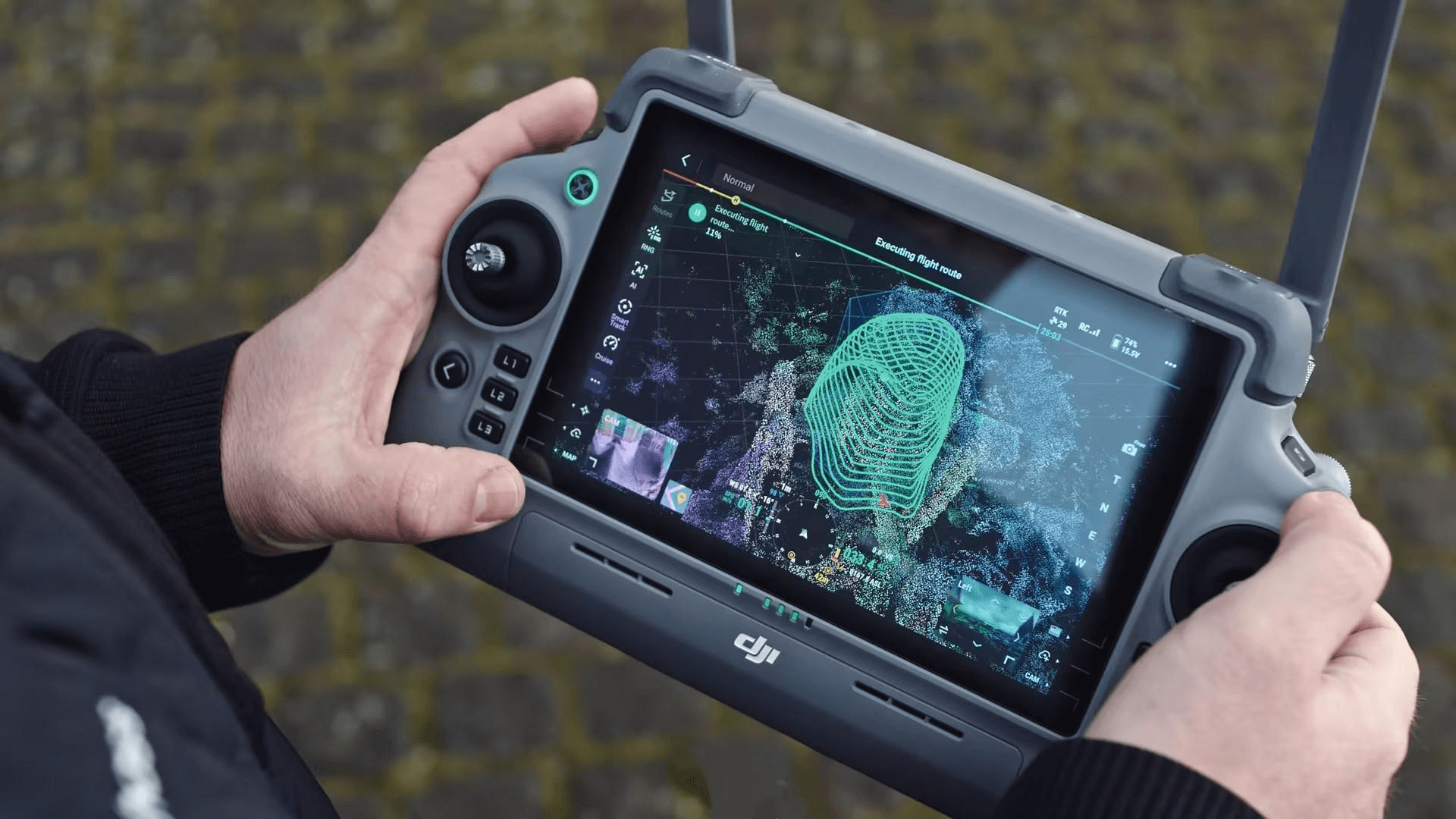
When organizations evaluate the cost of 3D laser scanning, they tend to focus on the visible expenses: the scanner hardware and the labor to operate it. What most organizations underestimate — often dramatically — is the cost of everything that happens after the scanner captures the data. Processing raw scan data into usable deliverables requires specialized software, powerful hardware, skilled operators, significant time, and substantial storage infrastructure.
These downstream costs are the reason that owning a scanner does not mean you can produce scanning deliverables cost-effectively. Understanding the full processing cost picture is essential whether you are evaluating an in-house scanning program, comparing service providers, or simply trying to understand why scanning proposals are priced the way they are.
Software Costs: The Recurring Foundation
Registration and Processing Software
Turning raw scans into a unified, clean point cloud requires dedicated registration and processing software. These are not inexpensive tools.
Tier 1 — Professional Registration Platforms:
- Leica Cyclone REGISTER 360 PLUS — Annual subscription. Industry standard for Leica scanner workflows. Includes automated registration, QA reporting, and cloud publishing.
- FARO SCENE — Annual subscription. Required for FARO scanner data processing. Includes registration, filtering, and export.
- Trimble RealWorks — Annual subscription. For Trimble scanner data. Advanced registration, meshing, and deliverable creation.
- Autodesk ReCap Pro — Annual subscription (approximately $400/year). Lower cost but fewer advanced features. Good for basic registration and Revit integration.
Most professional scanning operations require at least one Tier 1 platform that matches their scanner hardware, plus Autodesk ReCap Pro for Revit compatibility.
Tier 2 — Analysis and Deliverable Software:
Beyond registration, additional software is often needed for specific deliverable types:
- CloudCompare — Free, open-source. Good for basic viewing, measurement, and comparison, but limited for production workflows.
- Leica Cyclone 3DR — Annual subscription. For mesh creation, cross-sections, and advanced analysis.
- Verity (by ClearEdge3D) — For automated construction verification against design models.
- 3D Reshaper — For mesh creation, volume calculations, and specialized deliverables.
For a detailed comparison of available options, see our point cloud software comparison tool.
Format Conversion and Export
Different clients require different file formats — E57, RCP, LAS, LAZ, OBJ, PTX, and others. While most registration platforms can export to multiple formats, format-specific tools are sometimes needed for optimization, compression, or metadata preservation. These add incremental cost to the software stack.
Total Annual Software Investment
A professional scanning operation running one scanner typically requires $3,000 to $8,000 per year in software licenses. Operations with multiple scanners or specialized deliverable requirements can exceed $12,000 per year. These costs recur annually regardless of project volume — you pay them whether you process 10 projects or 100.
Hardware Costs: The Processing Engine
Processing Workstation Requirements
Point cloud processing is one of the most computationally demanding tasks in the AEC industry. Registration of 200+ scan positions, noise filtering across billions of points, and export to multiple formats requires serious hardware. A standard office computer will choke on these workloads.
Minimum viable workstation specifications:
- CPU: Intel Core i9 or AMD Ryzen 9 (12+ cores)
- RAM: 64 GB DDR5 (128 GB recommended for large projects)
- GPU: NVIDIA RTX 4070 or better (GPU acceleration used by many processing platforms)
- Storage: 2 TB NVMe SSD for active projects + additional SATA SSD for archive
- OS: Windows 10/11 Pro
Recommended workstation for heavy production:
- CPU: Intel Xeon W or AMD Threadripper (16-32 cores)
- RAM: 128 GB DDR5
- GPU: NVIDIA RTX 4090 or A6000
- Storage: 4 TB NVMe RAID + 8 TB archive
- Estimated cost: $5,000 to $12,000
A standard office computer cannot process large point cloud datasets effectively. The processing time extends from hours to days, and the software may crash on insufficient hardware. For a deeper dive into hardware specifications by software platform, see our guide on point cloud processing hardware requirements. Our .
Peripheral Equipment
Beyond the workstation, processing workflows benefit from:
- Multiple high-resolution monitors (for viewing large datasets at full fidelity)
- A 3D mouse (SpaceMouse) for navigating point clouds efficiently
- Uninterruptible power supply (UPS) to prevent data loss during long processing runs
These items add $500 to $2,000 to the hardware investment.
Hardware Lifecycle and Depreciation
Processing workstations have a useful life of approximately 3-4 years before they need to be replaced to keep up with growing dataset sizes and software requirements. Amortized over that period, hardware costs add approximately $2,000 to $4,000 per year to the processing operation. After year three, most operations either upgrade or accept increasingly slow processing times that cut into profitability.
Processing Time: The Hidden Labor Cost
Processing time is the cost that most people underestimate the most. Raw scan data does not become usable deliverables by pressing a button — it requires skilled labor over a sustained period.
The 2x-5x Rule
A widely used rule of thumb is that processing time is 2x to 5x the field time, depending on the deliverable complexity and project requirements. Here is what that looks like in practice:
| Project Scope | Field Time | Registration | Cleaning | Export/QA | Total Processing |
|---|---|---|---|---|---|
| Small (20 scans) | 4 hours | 2-4 hours | 2-3 hours | 1-2 hours | 5-9 hours |
| Medium (80 scans) | 8 hours | 4-8 hours | 4-8 hours | 2-4 hours | 10-20 hours |
| Large (250 scans) | 24 hours | 8-16 hours | 16-32 hours | 4-8 hours | 28-56 hours |
| Very large (500+ scans) | 40+ hours | 16-32 hours | 40-80 hours | 8-16 hours | 64-128 hours |
These are labor hours, not elapsed time. Automated registration processes can run overnight, but they require manual QA and correction afterward. Cleaning is almost entirely manual — a skilled technician examines the point cloud section by section, identifying and removing noise, artifacts, and unwanted objects.
The Cleaning Problem
Cleaning is the most time-intensive and least automatable step in the processing workflow. Every project has noise sources that require human judgment to address:
- People and moving objects — Must be identified and removed point by point
- Reflective surface artifacts — Mirrors, polished metal, and glass create phantom points that look like real surfaces
- Atmospheric noise — Dust, moisture, and temperature gradients create scattered points
- Scanner artifacts — Mixed-pixel effects at surface edges and multipath reflections
Automated noise filters remove some of this, but manual cleaning is always required for production-quality deliverables. A single large mechanical room with extensive piping can take 2-4 hours to clean properly.
Registration: Where Automation Helps but Does Not Solve
Modern registration software has improved dramatically. Cloud-to-cloud registration can automatically align adjacent scans using overlapping geometry, reducing registration time compared to the manual target-matching methods of a decade ago. But automated registration still requires human verification:
- The software sometimes aligns scans incorrectly, especially in repetitive environments (long corridors, parking structures, warehouse aisles)
- Registration accuracy must be verified against the project’s accuracy specification
- Control point adjustments (tying the scan to survey coordinates) are manual operations
- The registration report must be reviewed and any outliers investigated
A skilled operator can register a 100-scan project in 4-6 hours including QA. A novice may take 8-12 hours and produce a less accurate result.
Labor Cost Implications
If processing labor is valued at $50-$100 per hour (loaded cost including benefits, overhead, and profit margin), the processing labor for the projects described above ranges from:
- Small project: $250 - $900
- Medium project: $500 - $2,000
- Large project: $1,400 - $5,600
- Very large project: $3,200 - $12,800
These costs are on top of the field labor and do not include software or hardware amortization.
Storage Costs: The Growing Archive

Data Volume Per Project
Point cloud datasets are large. A single scan position produces approximately 500 MB to 2 GB of raw data depending on resolution and color settings. A project with 100 scan positions generates 50 GB to 200 GB of raw data, plus processed derivatives.
The total storage footprint for a typical medium-sized project (including raw data, registered point cloud, cleaned point cloud, and exports in multiple formats) is approximately 100 GB to 400 GB.
Storage Infrastructure Requirements
Production scanning operations need:
- Fast local storage — NVMe SSDs for active project processing (fast read/write speeds are essential for responsive point cloud navigation)
- Network storage — For team access and project sharing
- Archive storage — Long-term retention of completed projects (clients may request data years after the original scan)
- Backup — Industry standard is at least one off-site backup of all project data
- Cloud storage — For deliverable transfer to clients
Annual storage costs for a mid-volume scanning operation (50-100 projects per year) typically range from $2,000 to $6,000, including local storage, backup, and cloud transfer services.
The Data Retention Challenge
Scan data has long-term value — clients may need to access the data years after the original scan for renovation, insurance, or facility management purposes. Long-term data retention adds ongoing storage costs. Some providers retain data for 5-10 years; others archive indefinitely. This retention cost is built into the project pricing even though it is not visible as a line item.
After three years of operation at 75 projects per year, a scanning company can easily accumulate 20-40 TB of archived scan data that must be stored, backed up, and accessible on demand.
Training Costs: The Skill Investment
Initial Training
Learning to process point cloud data effectively requires significant training investment:
- Software training — Most registration platforms offer formal training courses (2-5 days, typically $1,000-$3,000 per person)
- On-the-job learning — A new processing technician typically requires 3-6 months of supervised production work before they can handle complex projects independently
- Continuing education — Software updates, new workflows, and evolving standards require ongoing learning
The Expertise Factor
Processing quality varies dramatically based on operator skill. An experienced technician can clean and register a 100-scan project in half the time it takes a novice, with significantly better results. This expertise takes years to develop and is a major factor in the quality difference between scanning providers.
The labor market for skilled point cloud processing technicians is tight. Experienced operators command premium salaries, and turnover creates costly ramp-up periods for replacements. This talent scarcity is another reason that outsourced scanning can be more cost-effective than building an in-house team.
The Full Cost Picture
Here is the total annual cost of running a professional point cloud processing operation:
| Cost Category | Annual Range |
|---|---|
| Software licenses | $3,000 - $12,000 |
| Hardware amortization | $2,000 - $4,000 |
| Storage and backup | $2,000 - $6,000 |
| Training and development | $2,000 - $5,000 |
| Processing labor (per project) | $250 - $12,800 |
| Fixed annual overhead | $9,000 - $27,000 |
The fixed annual overhead exists whether you process 5 projects or 50. Processing labor scales with volume but never drops to zero for any individual project.
Why Outsourcing Processing Makes Sense

When you hire a scanning service provider like THE FUTURE 3D, the project fee includes all of the costs described above — software, hardware, processing labor, storage, training, and quality assurance — amortized across the provider’s full project volume. You pay for results, not infrastructure.
The math works in the client’s favor for several reasons:
Utilization efficiency. A dedicated scanning company uses its software, hardware, and trained personnel across hundreds of projects per year, spreading the fixed costs thin. An in-house program may only run a dozen projects per year, bearing the same fixed costs across a much smaller base.
No capital outlay. You avoid the upfront investment in workstations, software licenses, and training. There is no depreciation schedule to manage and no risk of technology obsolescence.
No staffing risk. Processing talent is scarce and difficult to retain. When your in-house processing technician leaves, you lose months of ramp-up time training their replacement. A service provider absorbs this staffing risk.
Scalable capacity. An outsourced model scales with your project volume. You pay for processing when you have projects and pay nothing when you do not. An in-house program has the same fixed costs regardless of project volume.
The Break-Even Point for In-House Processing
Based on the costs outlined in this guide, the break-even point for an in-house scanning and processing operation is approximately 40-60 projects per year. Below that volume, outsourcing is almost always more cost-effective. Above that volume, in-house operations can be justified if the organization has the management bandwidth to maintain the operation and the talent pipeline to sustain it.
Frequently Asked Questions
Why does processing take longer than the scan itself?
Because scanning is an automated process — the scanner captures data at a fixed rate regardless of complexity. Processing requires human judgment at every stage: verifying registration quality, cleaning noise that automated filters miss, validating completeness, and preparing deliverables in the required formats. The more complex the environment, the more manual processing time is required.
Can I process point cloud data on a regular laptop?
For small datasets (under 20 scan positions), a modern laptop with 32 GB RAM and a dedicated GPU can handle basic registration and viewing. For medium to large projects, a dedicated workstation is necessary. Attempting to process large datasets on insufficient hardware leads to crashes, excessive processing times, and quality compromises.
Is cloud processing an option?
Cloud-based processing services are emerging, and some registration platforms offer cloud processing for specific tasks (automated registration, rendering). However, the full processing workflow — particularly manual cleaning and QA — still requires local workstation resources and skilled operators. Cloud processing is a useful supplement, not a complete replacement for local infrastructure.
How much does a typical scanning provider invest in processing infrastructure?
A mid-sized scanning company typically has $30,000 to $60,000 invested in processing workstations, $8,000 to $15,000 per year in software licenses, $3,000 to $6,000 per year in storage, and $5,000 to $15,000 per year in ongoing training. This infrastructure supports their full project volume and is amortized across all client projects.
Conclusion
The true cost of point cloud processing extends far beyond the obvious line items. Software licenses, workstation hardware, storage infrastructure, training investments, and the skilled labor to operate it all combine to create a substantial cost base that must be absorbed by someone — either the project owner building an in-house capability or a scanning service provider spreading those costs across their client base.
For most organizations, outsourcing scanning and processing to a professional provider is the more cost-effective choice. The per-project pricing of $0.20-$0.70 per square foot (minimum $1,000) includes all of these hidden costs, delivering finished data without the overhead of building and maintaining a processing operation.
Want production-ready scan data without building the processing infrastructure yourself? Request a quote from THE FUTURE 3D. Our project pricing includes all processing, software, hardware, storage, and quality assurance — you receive finished, verified deliverables without any hidden costs.
Ready to Start Your Project?
Get a free quote and consultation from our 3D scanning experts.
Get Your Free Quote

