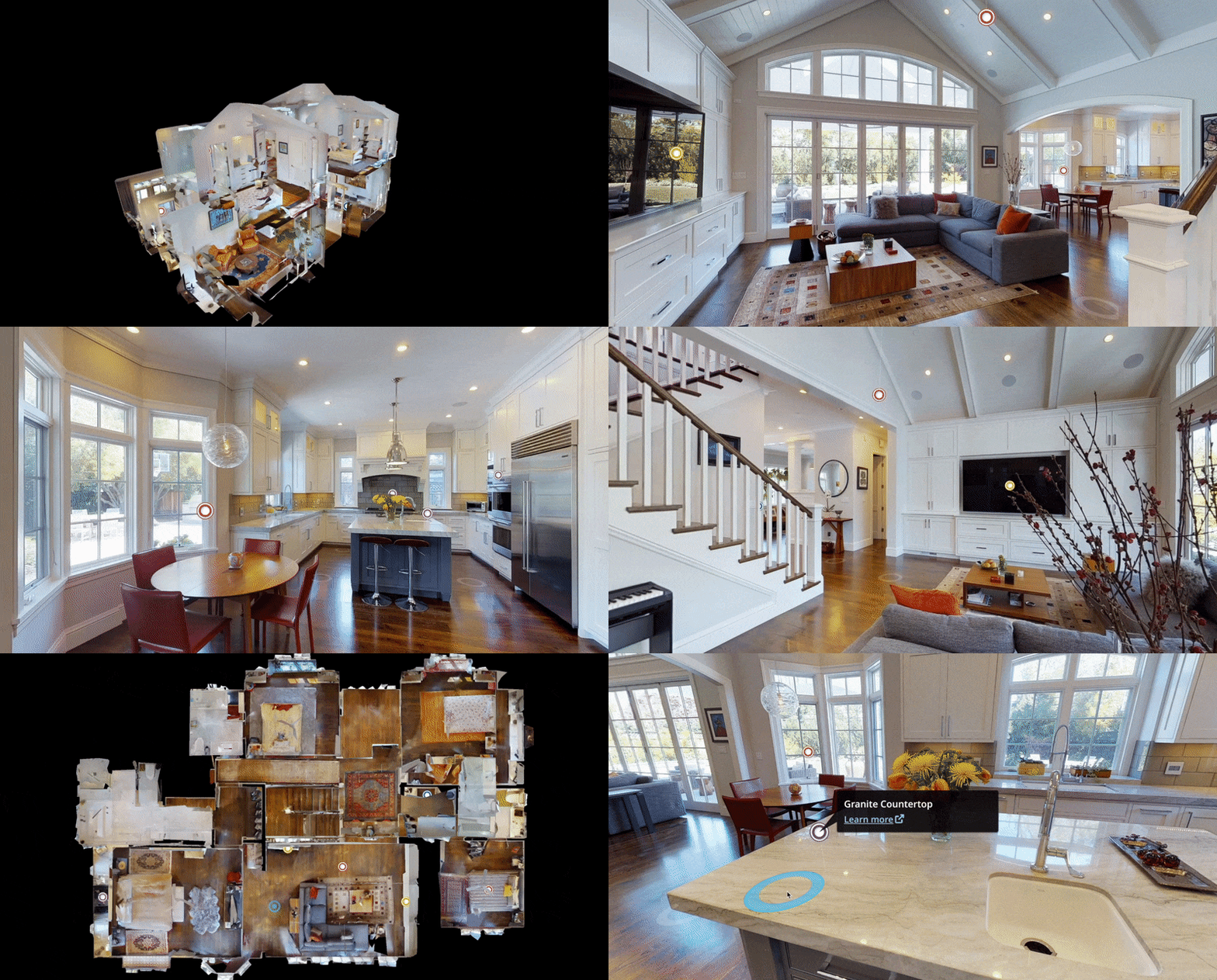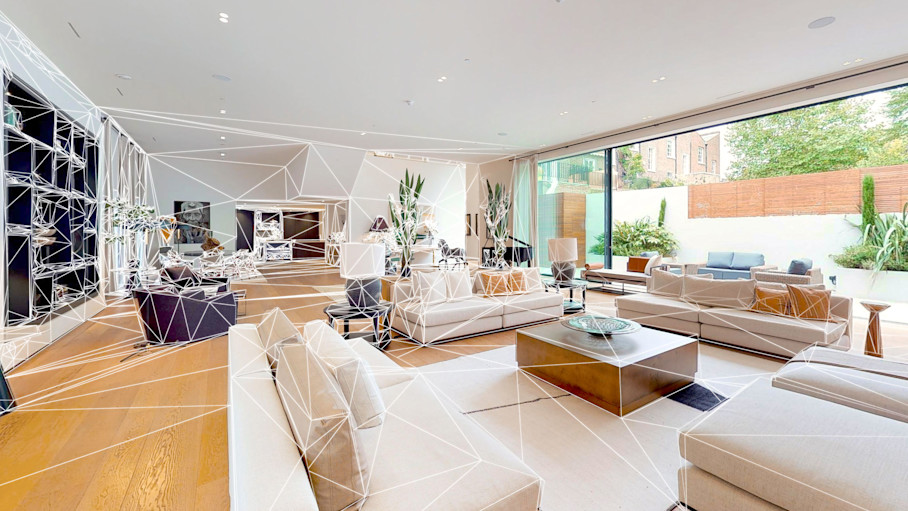
The pitch sounds compelling: buy a Matterport camera, scan your own properties, and save thousands of dollars per year on virtual tour costs. For some people, this is genuinely the right decision. But for most, the full cost picture tells a different story.
This guide breaks down the real, complete cost of DIY Matterport ownership versus hiring a professional service — including the hidden expenses and time costs that rarely show up in camera comparison articles.
The Real Total Cost of DIY Matterport
Year One Investment
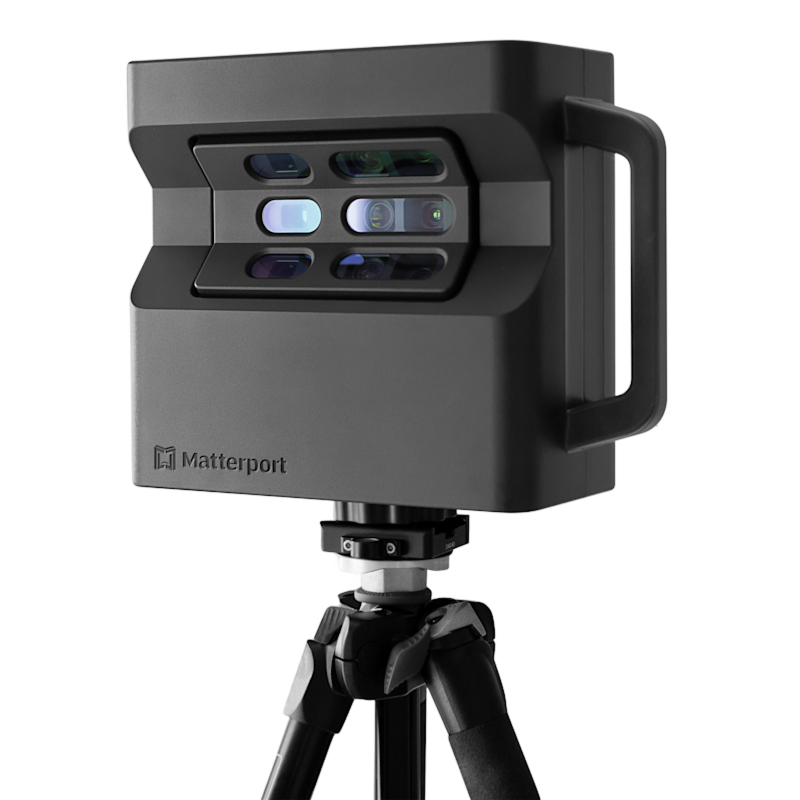
Here is what you actually need to start scanning on your own:
Equipment Costs:
- Matterport Pro3 camera with accessories
- Professional tripod (mandatory — camera does not include one)
- iPad or compatible tablet for the Capture app
- Carrying case (if not included in bundle)
- Extra batteries and charger
Software Costs:
- Matterport Cloud subscription — Professional plan at $69/month ($828/year) is the minimum useful tier
- Cloud hosting for each active tour — $20/month per space beyond your plan’s limit
Operational Costs:
- Equipment insurance — $30-50/month
- Vehicle costs for travel to scan locations
- Your time for scanning, processing, and delivery
The Time Cost Nobody Talks About
This is where the DIY calculation falls apart for most people. Here is a realistic time breakdown for a single residential scan:
| Activity | Time (Beginner) | Time (Experienced) |
|---|---|---|
| Travel to location | 30-60 min | 30-60 min |
| Setup and staging review | 15-20 min | 10 min |
| Scanning (2,000 sqft) | 90-150 min | 45-75 min |
| Travel back | 30-60 min | 30-60 min |
| Processing wait + QC | 30-60 min | 15-30 min |
| Adding tags/labels | 20-30 min | 10-15 min |
| Client delivery/communication | 15-20 min | 10-15 min |
| Total per scan | 3.5-6.5 hours | 2.5-4.5 hours |
If your billable rate is $100/hour, every scan costs you $250-650 in opportunity cost — on top of the equipment and subscription costs.
The Learning Curve Tax

Your first 10-15 Matterport scans will have problems. This is not a criticism — it is a reality that every Matterport user experiences. Common beginner mistakes include:
Scan Position Errors:
- Placing the camera too close to walls or furniture (creates stitching artifacts)
- Not enough overlap between scan positions (gaps in coverage)
- Missing critical transitions like hallways, staircases, and doorways
- Scanning at inconsistent heights (creates a bumpy walkthrough experience)
Lighting Mistakes:
- Not adjusting for mixed lighting conditions (daylight windows vs artificial lights)
- Not accounting for bright windows that blow out the exposure
- Scanning with room lights off (dramatic but dark result)
- Not closing blinds in sun-facing rooms (creates exposure problems)
Process Errors:
- Starting the scan before the camera finishes its rotation (blurred data)
- Bumping the tripod during capture
- Not checking the alignment quality before moving to the next position
- Missing rooms entirely and only discovering it during QC
Each of these mistakes means either re-scanning (another 2-4 hours) or delivering a subpar result. Professionals have already made these mistakes hundreds of times and know how to avoid them.
The Billing Complexity Trap
One of the most common complaints in the Matterport community is billing confusion. Users regularly report:
- Unexpected charges for exceeding active space limits
- Difficulty downgrading plans when scan volume decreases
- Archived space fees that continue even when tours are inactive
- Confusion about what counts as an “active space” versus archived
- Subscription tier changes that affect feature availability
When you hire a professional, you get a simple invoice: $X for the scan, plus $20/month hosting if you want us to host it (or transfer to your own account for free). No subscription management, no surprise charges, no billing dashboard to monitor.
What a Professional Brings to the Table
Consistent Quality from Day One
A professional Matterport service provider like THE FUTURE 3D brings 500+ completed projects of experience to every scan. This translates to:
- Optimal scan positions — knowing exactly where to place the camera for complete coverage with minimal scan points
- Lighting management — adjusting room lighting, blinds, and camera settings for consistent exposure
- Staging awareness — noticing and addressing visual issues (open toilet lids, cluttered counters, visible trash cans) before scanning
- Efficient workflow — completing a 2,000 sqft home in 60-90 minutes versus 2-3 hours for a beginner
Equipment That Works
Professional providers maintain their equipment, carry backup gear, and stay current with camera firmware and software updates. DIY users discover equipment issues at the worst times — a low battery on-site, a firmware bug that causes alignment failures, or a cracked lens from a tripod tip-over.
Professional Deliverables
A professional service includes more than just pressing the scan button:
- Pre-scan consultation — understanding your goals and how the tour will be used
- On-site staging guidance — quick recommendations for presenting the space at its best
- Quality control — reviewing every scan for alignment quality, coverage gaps, and visual issues
- Post-processing — adding labels, highlighting features, setting the starting position
- Delivery — providing embed codes, shareable links, and any requested add-ons
- Technical support — helping with embedding, sharing, and ongoing tour management
Turnaround Time
Professional providers deliver completed tours in 1-2 business days. DIY users must factor in their own processing time, QC, and post-processing on top of the scanning time.
The Real Price Comparison
Let’s compare total annual costs for three realistic scenarios:
Scenario 1: 10 Scans Per Year (Occasional User)
| Cost Category | Professional Service | DIY |
|---|---|---|
| Equipment | $0 | Camera + accessories (one-time) |
| Subscription | $0 | $828/year (Professional plan) |
| Per-scan cost | $350-750 each | $0 (your time) |
| Your time value | 0 hours | 25-65 hours total |
| Hosting | $200/year (10 tours) | $200/year (same) |
| Insurance | $0 | $360-600/year |
| Total (Year 1) | $3,700-$7,700 | Camera + $1,388-$1,628 + time |
| Total (Year 2+) | $3,700-$7,700 | $1,388-$1,628 + time |
At 10 scans per year, DIY has a lower cash cost starting in Year 2, but you are investing 25-65 hours of your time. If your time is worth $50-100/hour, the math shifts dramatically.
Scenario 2: 30 Scans Per Year (Regular User)
| Cost Category | Professional Service | DIY |
|---|---|---|
| Equipment | $0 | Camera + accessories (one-time) |
| Subscription | $0 | $828/year |
| Per-scan cost | $350-750 each | $0 (your time) |
| Your time value | 0 hours | 75-195 hours total |
| Hosting | $600/year (excess spaces) | $600/year |
| Insurance | $0 | $360-600/year |
| Total (Year 1) | $11,100-$23,100 | Camera + $1,788-$2,028 + time |
| Total (Year 2+) | $11,100-$23,100 | $1,788-$2,028 + time |
At 30 scans per year, the cash cost difference is significant. This is where DIY starts making financial sense — if you have the time and have moved past the learning curve.
Scenario 3: 60+ Scans Per Year (High Volume)
At this volume, DIY is almost certainly more cost-effective in cash terms. However, at 60+ scans per year, you essentially have a part-time job scanning properties. The question becomes: is this the best use of your professional time?
If you are a real estate photographer and scanning is your core service, absolutely — invest in the equipment and skills. If you are an agent, property manager, or business owner, those 150-390+ hours per year might be better spent on revenue-generating activities.
When DIY Makes Sense
To be fair, there are scenarios where buying your own Matterport camera is the right decision:
You Are a Professional Photographer
If you already offer photography services for real estate, adding Matterport scanning to your toolkit is a natural extension. You have the equipment management skills, the on-site workflow discipline, and the client relationships to make it work.
You Scan 30+ Properties Per Year Consistently
At high volume, the per-scan economics favor DIY ownership. The key word is “consistently” — if your volume fluctuates significantly, you may end up paying subscription fees during slow months with little return.
You Have Dedicated Staff for Scanning
If you can assign scanning to a team member whose time is not being diverted from higher-value work, the time cost calculation changes. The person scanning is not losing $100-200/hour in opportunity cost.
You Need Immediate, Unscheduled Access
If you frequently need to scan properties with zero advance notice (construction progress documentation, property management emergencies), having your own camera provides flexibility that no service provider can match.
When Professional Service Is the Better Choice

You Are a Real Estate Agent or Broker
Your time is best spent prospecting, showing properties, and closing deals. The 2-4 hours you spend on each DIY scan is 2-4 hours not spent on activities that directly generate commission income.
You Scan Fewer Than 20 Properties Per Year
At low volume, the annual subscription cost, equipment maintenance, insurance, and storage of the camera setup is not justified by the savings over professional service.
Quality Is Non-Negotiable
For high-value properties, commercial listings, or situations where the virtual tour represents your brand, professional quality is worth the premium. A mediocre DIY scan can hurt a listing more than no scan at all.
You Need Add-Ons (Floor Plans, Point Clouds, Video)
Professional providers offer turnkey add-on services. DIY users must learn additional post-processing workflows for floor plan editing, point cloud exports, and video rendering.
You Want Simple, Predictable Costs
One invoice per scan versus managing subscriptions, hosting fees, equipment costs, and insurance. For many businesses, the simplicity of professional service has value beyond the dollar amount.
Common DIY Pitfalls to Avoid
If you do decide to go the DIY route, here are the most common mistakes we see:
1. Underestimating the Subscription Cost
The camera is a one-time cost. The subscription is forever — as long as you want your tours online. Budget for $828-$3,708/year depending on your plan tier, plus $20/month per active space beyond your limit.
2. Skipping Equipment Insurance
Matterport cameras are precision instruments. One tripod tip-over can end your scanning capability. Equipment insurance is not optional.
3. Not Investing in Training
Watch every Matterport tutorial, practice in your own space, and study the community forums before scanning a client’s property. Your first 5-10 scans should be practice, not client work.
4. Ignoring Hosting Costs
Every tour you create accumulates hosting costs. If you scan 50 properties and all tours remain active, that is $1,000/month in hosting fees alone. Develop a policy for archiving or deactivating old tours.
5. Expecting Smartphone Quality to Match Pro3
Matterport’s smartphone capture is serviceable but not professional. If you are going DIY, invest in the Pro3 camera. The quality gap between smartphone and Pro3 is enormous.
How THE FUTURE 3D Compares to DIY
At THE FUTURE 3D, we have completed over 500 projects using Matterport technology. Here is what our clients get versus the DIY alternative:
| Feature | THE FUTURE 3D | DIY |
|---|---|---|
| Equipment | Matterport Pro3 (latest) | Whatever you purchase |
| Experience | 500+ projects | Your own learning curve |
| Quality Consistency | Guaranteed | Variable |
| Turnaround | 1-2 business days | Your availability |
| Support | Dedicated project support | Matterport help docs |
| Add-Ons | Floor plans, exports, video | Self-service |
| Cost Predictability | Fixed per-project pricing | Variable (sub + hosting + time) |
| Scanning Time (2,000 sqft) | 60-90 min | 90-180+ min |
Key Takeaways
-
DIY Matterport is not as cheap as it looks. Camera cost, subscription ($828-$3,708/year), hosting ($20/space/month), insurance, and your time add up quickly.
-
The learning curve is real. Budget 10-15 practice scans before delivering client work. Beginner scans have alignment issues, coverage gaps, and lighting problems.
-
Time is the hidden cost. Each scan takes 2.5-6.5 hours including travel, scanning, processing, QC, and delivery. Multiply by your hourly value to see the real cost.
-
Professional service makes sense for most businesses that scan fewer than 20 properties per year, where quality is critical, or where the operator’s time is better spent on core business activities.
-
DIY makes sense for photographers and high-volume users (30+ scans/year) who have dedicated scanning staff and have moved past the learning curve.
-
Billing complexity is a real headache. Subscription management, active space limits, and hosting fees create ongoing administrative burden that does not exist with professional service.
-
Quality matters more than cost per scan. A subpar virtual tour can actively hurt a property listing. The difference between a professional scan and a beginner scan is immediately visible.
Want to skip the learning curve and get professional results from day one? Request a quote from THE FUTURE 3D, or check our Matterport pricing guide for detailed cost breakdowns.
Ready to Start Your Project?
Get a free quote and consultation from our 3D scanning experts.
Get Your Free Quote