Once you have a point cloud from a 3D laser scanning project, the next question is always the same: what do you do with it? For most AEC professionals, the answer involves converting that point cloud into either a CAD drawing or a BIM model. But which one do you actually need?
These two conversion paths — point cloud to CAD and point cloud to BIM — serve different purposes, cost different amounts, take different timelines, and produce fundamentally different deliverables. Choosing the wrong one wastes money. Choosing the right one accelerates your project.
This guide breaks down both workflows, explains when each makes sense, and helps you make the right decision for your specific project requirements.
Point Cloud to CAD: The Basics
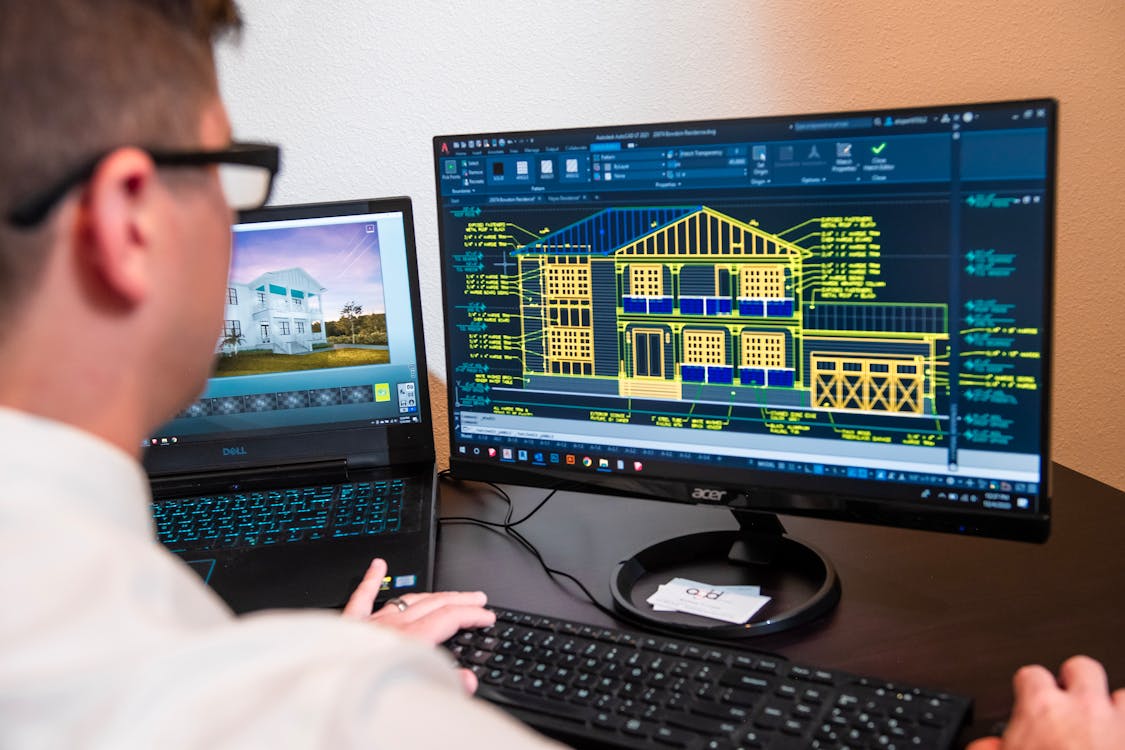
Converting a point cloud to CAD means extracting 2D or 3D geometric linework from the scanned data. The output is a traditional CAD file — typically DWG or DXF format — containing lines, arcs, polylines, and hatches that represent the building’s geometry.
The CAD approach focuses on geometry. A wall in a CAD file is a pair of parallel lines with a dimension between them. It does not carry information about wall material, fire rating, acoustic performance, or its relationship to adjacent building elements. It is simply a line on a drawing.
What You Get
- 2D floor plans — Plan views extracted at specific cut heights
- 2D sections and elevations — Cross-sections and building face views
- 3D wireframe or surface models — Three-dimensional line drawings or surfaces
- DWG/DXF files — Compatible with AutoCAD, MicroStation, and virtually all drafting software
How It Works
- The point cloud is loaded into CAD or specialized extraction software
- A drafter traces over the point cloud data, creating lines and curves that follow the scanned geometry
- Dimensions, annotations, and layer organization are added
- The finished drawing is exported as DWG or DXF
This process is relatively straightforward for buildings with simple geometry — rectangular rooms, standard wall thicknesses, and minimal MEP complexity. It becomes significantly more complex (and more expensive) for buildings with curved surfaces, complex ceiling details, or dense mechanical systems.
Point Cloud to BIM: The Basics

Converting a point cloud to BIM means creating an intelligent 3D model in software like Autodesk Revit, ArchiCAD, or Bentley MicroStation. Every element in the model is a parametric object with properties, relationships, and metadata — not just a geometric shape.
A wall in a BIM model knows its material composition, thickness, fire rating, structural classification, and how it connects to the floor below and the ceiling above. A pipe in a BIM model carries its diameter, material, system type, connected equipment, and flow direction.
What You Get
- Intelligent 3D model — Parametric objects with data-rich properties
- Generated 2D drawings — Floor plans, sections, and elevations extracted from the 3D model
- Schedules and quantities — Automated material takeoffs, room schedules, equipment lists
- Clash detection capability — Interference checking between building systems
- RVT/IFC files — Compatible with Revit, Navisworks, and BIM coordination platforms
How It Works
- The point cloud is imported into a BIM platform (typically Revit)
- A BIM modeler traces over the point cloud, creating intelligent objects (walls, floors, doors, MEP systems)
- Properties and metadata are assigned to each object
- System relationships and connections are established
- The model is validated against the original point cloud for accuracy
This process requires significantly more skill and time than CAD extraction. The modeler needs both BIM software expertise and deep construction knowledge to correctly identify and classify building elements from scan data.
For the full workflow breakdown, see our Scan-to-BIM workflow guide and our Scan-to-BIM service page.
Head-to-Head Comparison
| Factor | Point Cloud to CAD | Point Cloud to BIM |
|---|---|---|
| Output format | DWG, DXF (2D/3D linework) | RVT, IFC (intelligent objects) |
| Data intelligence | Geometry only — lines and surfaces | Rich — material, system, relationship data |
| Editability | Edit individual lines manually | Change a wall type and all related elements update |
| 2D drawing generation | Each view drawn individually | All views auto-generated from single model |
| Clash detection | Not possible | Native capability |
| Material schedules | Manual counting | Automated extraction |
| Software cost | Lower (AutoCAD ~$2K/yr) | Higher (Revit ~$3.5K/yr) |
| Modeling cost (per sq ft) | $0.25-$1.50 | $1.00-$7.00 |
| Timeline (50K sq ft) | 1-3 weeks | 4-16 weeks |
| Typical file size | 5-50 MB | 50-500 MB |
| Collaboration | File sharing, manual coordination | Real-time multi-discipline coordination |
| Lifecycle value | Single-use documentation | Ongoing facility management asset |
When to Choose Point Cloud to CAD
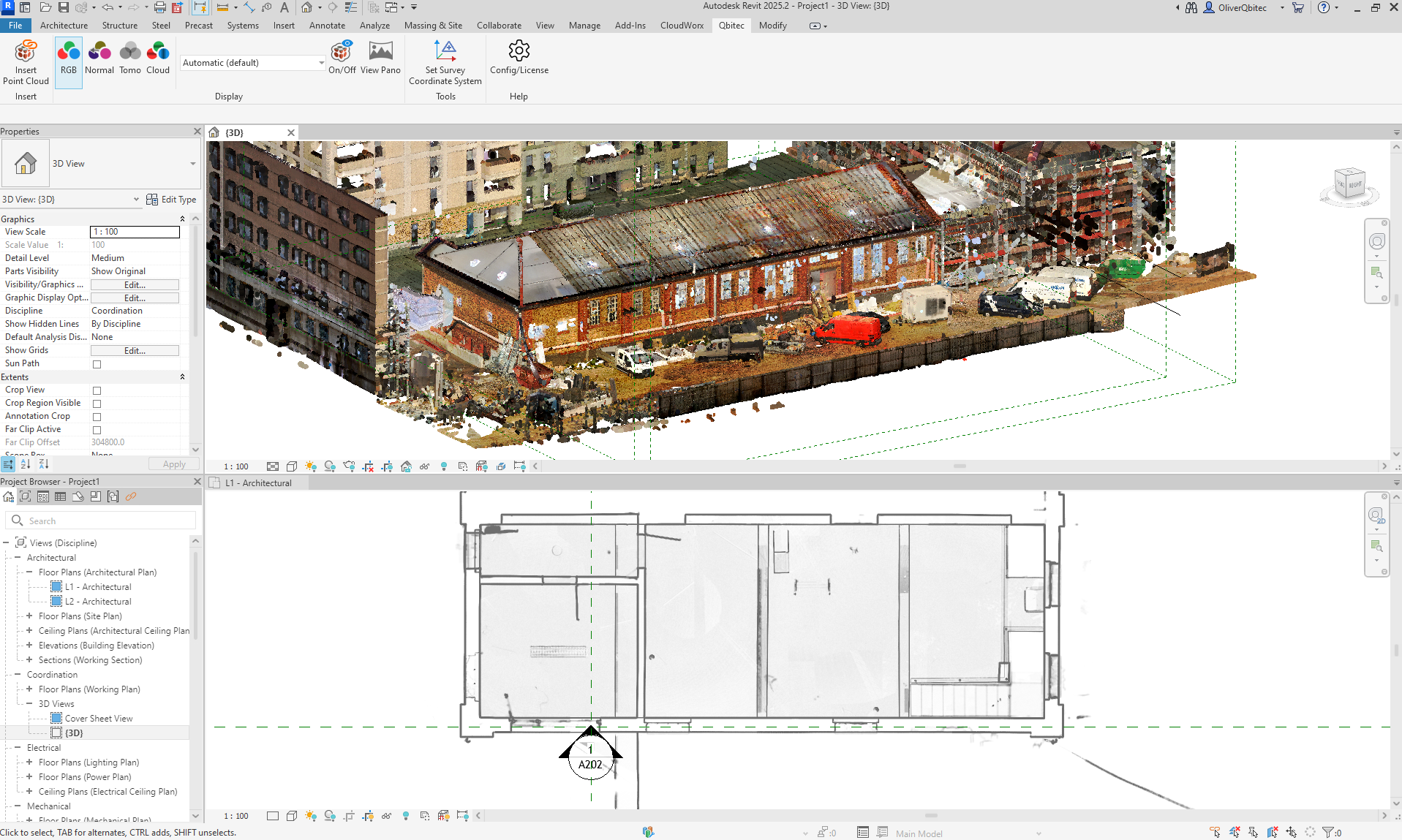
CAD extraction is the right choice when your project needs are simple, your budget is limited, or your downstream workflow does not require intelligent objects.
Ideal Use Cases for CAD
Simple renovations and tenant improvements — When you need existing floor plans for a straightforward buildout that does not involve complex MEP coordination. A set of 2D CAD plans gives contractors everything they need for basic wall layouts, door locations, and dimensional references.
Permit drawings — Many municipal building departments still accept and review traditional 2D CAD drawings. If your jurisdiction does not require BIM, CAD may be sufficient for permit submissions.
Quick reference documentation — When you need to document a building’s current layout for reference purposes without the overhead of a full BIM model. Real estate portfolio managers, for example, often need basic floor plans for space planning.
Legacy system compatibility — Some organizations have established workflows built entirely around AutoCAD. Converting to BIM is a significant change management effort that may not be justified for every project.
Budget-constrained projects — At $0.25-$1.50 per square foot, CAD extraction costs a fraction of BIM modeling. For projects where intelligent data is not needed, CAD delivers the required information at lower cost.
Fabrication and millwork — Shop drawings for custom fabrication often work better as precise 2D CAD details than as BIM objects, especially for specialty trades that use CAM (computer-aided manufacturing) equipment.
When to Choose Point Cloud to BIM
BIM modeling is the right choice when your project involves coordination between multiple disciplines, when you need ongoing facility management data, or when project requirements explicitly specify BIM deliverables.
Ideal Use Cases for BIM
Major renovations and retrofits — When the renovation involves structural modifications, MEP rerouting, or multi-discipline coordination. The clash detection capabilities of BIM prevent costly field conflicts.
Owner-required BIM — Many institutional owners — government agencies, healthcare systems, universities — now require BIM deliverables as part of their project standards. If the owner specifies BIM, there is no alternative.
MEP-heavy projects — Mechanical, electrical, and plumbing coordination is where BIM delivers its greatest value. Detecting pipe-to-duct clashes or electrical conduit-to-structural conflicts before construction starts saves orders of magnitude more than the BIM modeling cost.
Facility management — When the building owner plans to use the model for ongoing operations and maintenance. A BIM model serves as a living database of building components, supporting maintenance scheduling, space management, and capital planning.
Construction document generation — When you need floor plans, sections, elevations, and schedules that all stay synchronized. Change a wall in the BIM model and every affected drawing updates automatically.
Sustainability and energy analysis — BIM models can feed directly into energy simulation software, supporting LEED documentation, energy audits, and sustainability reporting.
The Hybrid Approach: Both CAD and BIM
In practice, many projects need elements of both. A common approach is:
- BIM for core building elements — Walls, floors, structure, and major MEP systems modeled in Revit at LOD 300
- CAD for specialty details — Custom millwork, specialty equipment layouts, and fabrication details extracted as 2D CAD from the same point cloud
This hybrid approach gives you the coordination benefits of BIM where they matter most while keeping costs down for elements that do not benefit from intelligent modeling.
How 3D Scanning Feeds Both Workflows
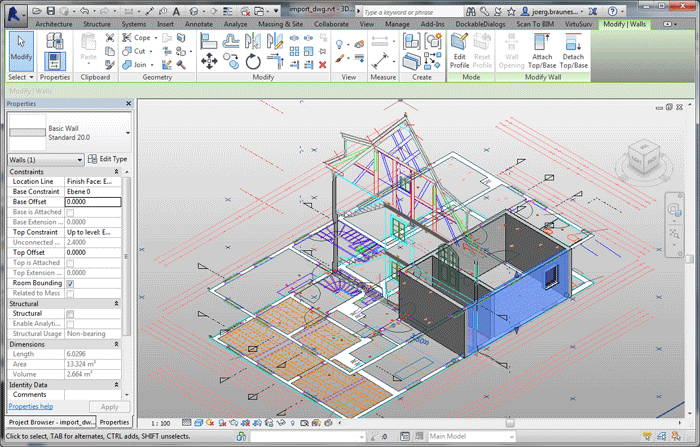
The point cloud from a 3D laser scan is the common starting point for both CAD and BIM conversion. The same dataset — captured once — can feed either workflow (or both simultaneously). This is one of the key advantages of starting with scanning rather than manual measurement.
When THE FUTURE 3D captures your building, we deliver BIM-conversion-ready 3D laser scan data in E57, RCP, LAS, and OBJ formats. These deliverables work equally well as the reference source for CAD extraction or BIM modeling. Your CAD drafter or BIM modeler imports the point cloud as a background reference and traces over it to create their deliverables.
The critical point: the quality of the scan data directly impacts the quality of both CAD and BIM outputs. A poorly registered or noisy point cloud produces inaccurate CAD drawings and unreliable BIM models. A properly processed, survey-grade point cloud gives both CAD and BIM teams the precise reference they need.
THE FUTURE 3D delivers the scan data foundation — your team or a third-party firm handles the CAD extraction or BIM modeling. This specialization ensures you get the highest-quality scan data from dedicated scanning professionals, while your modeling team focuses on the conversion work they do best.
Cost and Timeline Summary
Here is a realistic comparison for a 50,000 square foot commercial building:
| Phase | Point Cloud to CAD | Point Cloud to BIM (LOD 300) |
|---|---|---|
| 3D laser scanning | $8,000-$20,000 | $8,000-$20,000 |
| Data processing | Included with scanning | Included with scanning |
| Modeling/drafting | $12,500-$75,000 | $75,000-$175,000 |
| QA/review | 1-3 days | 3-5 days |
| Total cost | $20,500-$95,000 | $83,000-$195,000 |
| Total timeline | 2-5 weeks | 6-12 weeks |
These ranges reflect typical U.S. market pricing. CAD costs less and delivers faster, but BIM provides significantly more value for complex, multi-discipline projects.
For more on BIM vs CAD concepts, see our educational guide on BIM vs CAD. For BIM scanning specifically, our BIM scanning guide covers the process in detail.
Making the Decision
Ask yourself these five questions:
- Does your project involve multi-discipline coordination? If yes, BIM.
- Does the owner or jurisdiction require BIM deliverables? If yes, BIM.
- Will the building data be used for ongoing facility management? If yes, BIM.
- Is your budget constrained and your needs limited to basic floor plans? If yes, CAD.
- Do you need fabrication-level shop drawings for specialty trades? If yes, CAD (possibly supplementing a BIM model).
If the answers are split, the hybrid approach usually makes the most sense — BIM for the core building model, CAD for specialty deliverables.
Frequently Asked Questions
Can I start with CAD and upgrade to BIM later?
Technically yes, but it is not efficient. A BIM modeler working from a CAD drawing still needs to reference the point cloud for accurate geometry. Starting from the point cloud directly is faster and more accurate than working from an intermediate CAD file. If you think you might need BIM eventually, it is usually more cost-effective to go directly to BIM.
Does THE FUTURE 3D provide CAD drawings or BIM models?
THE FUTURE 3D delivers BIM-conversion-ready 3D laser scan data — registered, cleaned point clouds in E57, RCP, LAS, and OBJ formats. We do not produce CAD drawings or BIM models directly. Your in-house team or a specialized third-party firm handles the CAD or BIM conversion using our scan data as the reference foundation.
What is the accuracy difference between CAD and BIM outputs?
Both CAD and BIM outputs are only as accurate as the point cloud they are derived from and the skill of the person tracing the geometry. A professional laser scan provides millimeter-accuracy reference data. CAD and BIM outputs typically achieve 1/8 inch to 1/4 inch accuracy for building elements, depending on the LOD specification and the modeler’s skill.
Can a BIM model generate CAD drawings?
Yes. One of BIM’s key advantages is the ability to automatically generate 2D CAD views (floor plans, sections, elevations) from the 3D model. These extracted views stay synchronized with the model — change a wall in BIM and the CAD plan view updates accordingly. This is a major efficiency gain over maintaining separate CAD drawings.
How do I find a qualified BIM modeling firm?
Look for firms with demonstrated experience in Scan-to-BIM conversion specifically — not just general BIM modeling. Key qualifications include experience working with large point cloud datasets, familiarity with LOD specifications, and a QA process that validates the model against the original scan data. We can provide recommendations if needed.
Need scan data that feeds both CAD and BIM workflows? Get a quote from THE FUTURE 3D or explore our 3D laser scanning services to learn how we deliver the foundation for your downstream deliverables.
Ready to Start Your Project?
Get a free quote and consultation from our 3D scanning experts.
Get Your Free Quote

